Portfolio Site Templates Free: The Fastest Way to Build a Professional Portfolio Today
Want a professional portfolio without spending days building one from scratch? You're in the right place. I’ve noticed students and freelancers often overcomplicate the first step: just pick a solid template and get your work online. A great free template can save hours and still look polished, responsive, and modern.
This manual takes you through the picking of a template to giving it your personal touch with useful tips, easy, to, understand illustrations, and the stuff that I wish someone had told me when I was starting out. If you are a student, designer, developer, job seeker, or creative professional, you will discover templates that fit your requirements along with detailed instructions that are effective.
Why a portfolio matters more than you think
Resumes tell, portfolios show. Recruiters and clients want proof. Your portfolio is where you demonstrate your skills, process, and taste. It can land interviews, freelance projects, or even funding for side projects.
In my experience, a portfolio that’s easy to navigate and showcases a few strong pieces beats a long list of mediocre projects. Think quality over quantity. One well-documented case study will get you farther than ten half-baked screenshots.
Why free portfolio site templates are a smart move
In case you dont have enough time or money, free portfolio website templates are an efficient way to get a professional looking site. They allow you to go beyond the usual setup and concentrate on what matters: your works, your personal brand, and the features that make you stand out.
- Save time - templates cut setup from days to hours.
- Keep costs down - many free portfolio templates are high quality.
- Learn by customizing - you’ll pick up design and front-end skills as you tweak the template.
- Polish quickly - choose one that already has responsive layouts and good typography.
It's honestly beyond my ability to keep track of the number of times that I've taken a free template and used it as a point of departure for my own work. What usually happens is that simply doing some changes to the text and swapping out the pictures is enough to give that template a vibe of being one's own.
How to choose the right free portfolio template
Not all free portfolio templates are created equal. Pick one that matches your goals and makes your work shine. Here’s what I look for first.
- Responsive layout - Your portfolio must work on phones and desktops. Look for "responsive portfolio templates free" or "responsive portfolio templates" in the description.
- Clear hierarchy - Projects should be easy to scan. Big images, short summaries, and a clear call to action matter.
- Fast performance - Templates with lots of animations can look pretty but slow things down. Prioritize fast load times.
- Minimalist or creative style- Decide on a style that reflects your profession. Creatives like designers and photographers may want a creative portfolio free templates, whereas developers might go for minimalist portfolio free templates that focus on code and case studies.
- Simple customization - Find out whether the template is utilizing plain HTML/CSS, a site builder, or a popular framework. Choose what you are actually able to edit.
- License and usage - In case you are a freelancer, confirm whether the template permits you to use it for commercial purposes.
An excellent tip: if you are a student setting up your first portfolio, concentrate on templates that are indicated as "free portfolio templates for students" or "free personal portfolio templates"
Where to find the best free portfolio templates
There are many sources for free portfolio site templates. Here are reliable places I check first.
- Template galleries on GitHub - great for developer-friendly templates and modern stacks.
- Design marketplaces with free sections - sometimes you get high-quality freebies from professional designers.
- Site builder platforms - many offer "portfolio website builder free" options with templates you can customize through a visual editor.
- Specialized templates lists - search "best free portfolio templates" or "free portfolio website themes" for curated choices.
One more place: company resources. At whoozit we share tips and picks for free portfolio templates and practical guidance on setting them up. If you want a shortcut, check curated lists from people who work with creatives and developers daily.
Types of free portfolio templates and who they suit
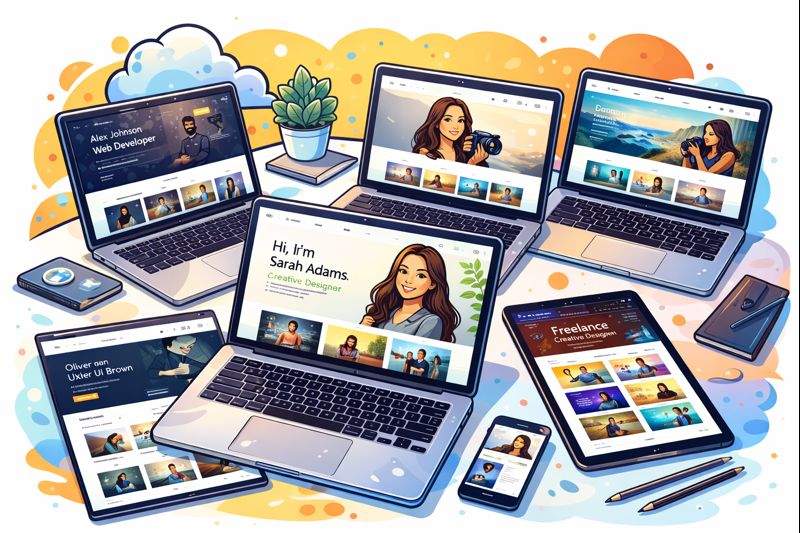
Templates generally are categorized into a few broad classes. Choose the one which is suitable for both your business and the narrative you wish to convey.
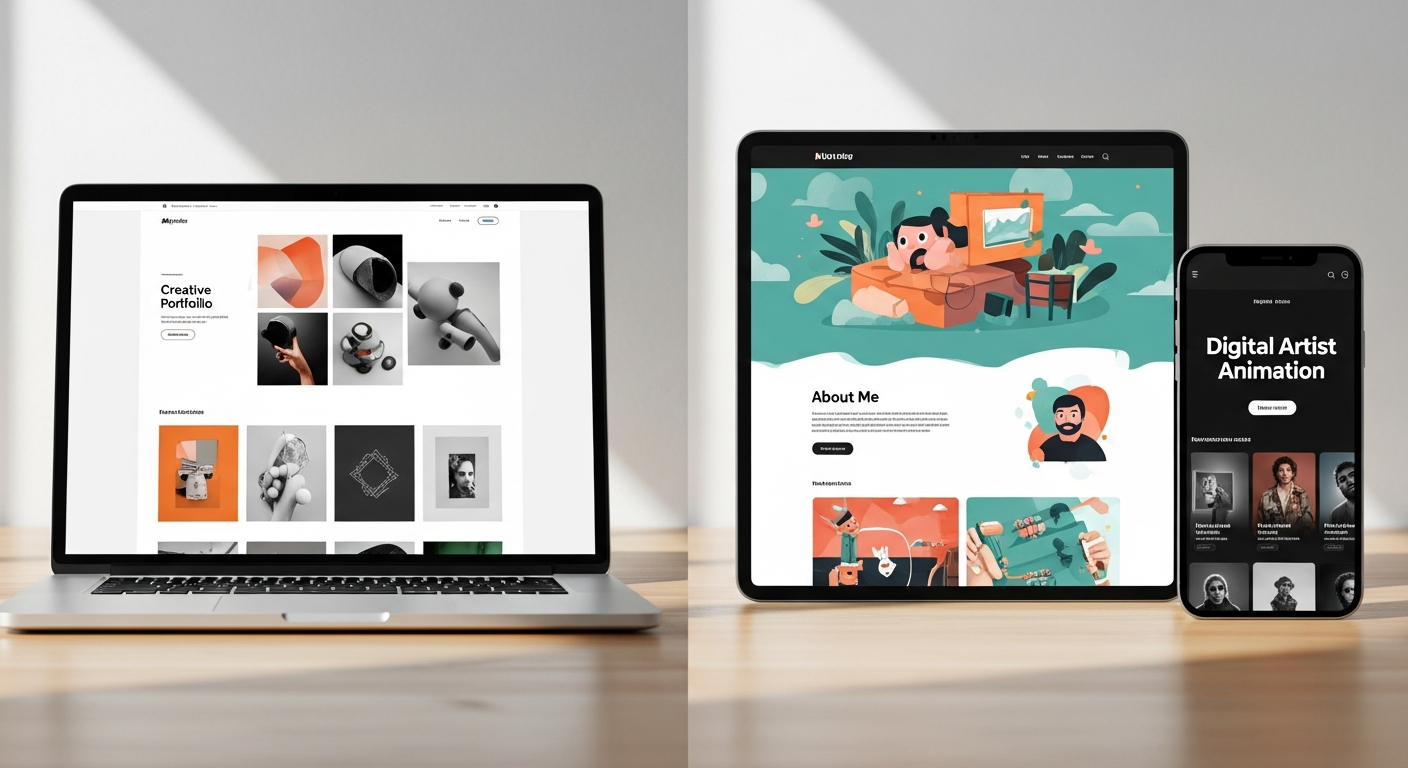
- Minimalist portfolio templates free - They are neat, straightforward, and fast. Just right for product designers, UX people, and developers whose work is the main focus.
- Creative portfolio templates free - These ones have been distinguished by brave layouts and fun typography. The best fit for visual artists, illustrators, and motion designers.
- Developer portfolio templates free - Concentrate on case studies, GitHub links, and technical stacks.
- Student portfolio templates free - Templates that prioritize education, projects, and internships. Simple to edit and focused on storytelling.
- Multipurpose portfolio themes - Flexible templates that work for a range of professions but might need more customization.
For 2025 trends, I’m seeing more templates with subtle micro-interactions, accessible color schemes, and space for short videos. But avoid flashing effects that distract from your work.
A simple step-by-step workflow to get your site live fast
Let's keep this practical. Follow these steps and you'll have a working portfolio in a few hours.
- Pick a template - Decide on the style and responsiveness. Prefer templates that call themselves "free portfolio site templates" or "online portfolio templates free".
- Prepare your content - Select 3 to 6 projects. For each project, have ready one hero image, 2 to 3 supporting images or screenshots, a brief summary, and 3 bullet points that describe your role, the tools, and the impact.
- Customize hero and about sections - Change template text with a concise, human bio. Mention what you do and why. Short sentences are the most effective.
- Write one good case study -Choose your most impressive project and compose a clear story: problem, your solution, results. If you have a short video, add it along with the visuals.
- Optimize performance - Make sure images are compressed, the mobile layout is checked, and scripts are kept to a minimum. Link social and code, Depending on your area, put up GitHub, LinkedIn, Dribbble, or Behance links. Make them accessible to others.
- Test and publish - Check how it looks on phones, laptops, and in a private browser.
Want a quick example? For a student portfolio, pick 3 class projects. For each, show one screenshot, a short summary, and a line that says what you learned. That’s often enough to impress an interviewer.
How to customize templates without breaking them
Templates may appear as if they are easily breakable, but small and cautious modifications can have a great effect. The following are ways in which you can stay away from the most common mistakes.
Backing up before making any changes -Save a copy of the original files or create a duplicate of the template in the site builder.careful changes go a long way. Here’s how to avoid common pitfalls.
Edit CSS sparingly - If you’re not a CSS pro, change fonts and colors through variables or theme settings. Avoid rewriting layout rules unless necessary.
- Keep the grid - Don’t change column counts drastically. The template’s grid handles responsive behavior.
- Test after each change - Check mobile and desktop views. If something breaks, revert to your backup and try a smaller change.
Common mistake: swapping in heavy images without resizing. That kills page speed and makes the template feel sluggish. I always resize and compress images before uploading.
What to include on your portfolio - the essentials
Your template gives you structure, but content sells your skills. Here’s a simple, reliable set of sections every professional portfolio needs.
- Home / Hero - A single concise sentence describing your personality and the work you do, along with a call to action such as "Employ me" or "View my portfolio". About, Brief paragraph, photo, and a couple of lines describing your personality and strengths.
- Projects - 3 to 6 projects with summaries and visuals. For each include your role, tools, and outcomes.
- Case study - One detailed project that shows process and impact. Add wireframes, code snippets, or before/after images if relevant.
- Contact - Simple contact form or email link. Add social buttons and a scheduling link if you want to speed up client calls.
- Extras - If you have time, you can add a resume download feature, testimonials, or even start a blog.
Tip: Dont feel like you have to display everything at once. I advise my students to initially present a few projects and gradually add more over time. Your portfolio needs to be a living document, not your final exam.
How to compose a straightforward and efficient project summary
People skim. Give them what they need fast. Use this tiny formula for each project summary:
- One-line headline - what the project is.
- One-sentence problem - the challenge you tackled.
- Two bullets - your role and the tools you used.
- One-line result - measurable outcome if possible.
Example: "Redesign of Campus Event App. The app had low engagement. I led the redesign using Figma and React. Result: 30 percent increase in weekly active users after launch."
If you don’t have numbers, say what changed qualitatively - faster signup, clearer user flow, fewer bugs. Specifics beat vague statements like "improved user experience".
SEO and discoverability for free portfolio templates
Templates are great, but you still need people to find you. Basic SEO helps recruiters and clients stumble across your site.
- Use clear page titles and meta descriptions - include "portfolio" and your role.
- Use semantic headings - h1 for your name and role, h2 for sections.
- Optimize images - descriptive filenames and alt text.
- Include a blog or project posts if you can - fresh content helps search engines index you.
- Link to your site from LinkedIn and GitHub so search engines and people can find it.
Search terms like "free personal portfolio templates" and "free portfolio templates for designers" help if you publish tutorial posts about how you built the site. That’s a neat side benefit: writing about the template choice shows process and expertise.
Performance and accessibility basics
Fast and accessible sites get you more interviews. Many free portfolio templates are already built with best practices, but it's worth checking a few things yourself.
- Compress images- use modern, lightweight formats such as WebP or compressed JPEGs.
- Lazy load images- the page loads fast visually, especially on handheld devices.
- Check color contrast- make sure that the text is readable by all people.
- Keyboard navigation - can you tab through the site and access the menu?
- Reduce third-party scripts - analytics and widgets can slow you down.
I've seen beautiful templates crippled by a dozen analytics scripts. Remove anything you don't need. Your priority is quick access to your work.
Use these simple customization ideas to stand out
Small changes make templates feel original. Try some of these quick edits.
- Replace hero image with a real project screenshot or a short looping video.
- Add a personal color accent used consistently across headings and buttons.
- Write microcopy - little lines that add personality, like "I build clean UI for humans".
- Show process photos - not just the final work. Recruiters love to see how you think.
- Include a One-minute walkthrough video - a short clip explaining your favorite project.
Example for developers: add a short code snippet or link to a working demo. For designers: include a before and after slider. These give viewers a quick sense of what you do.
Portfolio templates for specific careers — quick recipes
Different roles need slightly different focus. Here are quick templates for common audiences.
Students
- Home: short line - "CS student building full-stack apps".
- Projects: 3 class projects with screenshots and what you learned.
- About: mention degree, graduation date, and internship interests.
- Extras: link to GitHub and a resume PDF.
Simple example: A student building a mobile app includes the app icon, one flow screenshot, and a sentence on the tech stack. That's enough for a recruiter to reach out.
Designers
- Home: show a hero image and a value line - "I design product interfaces that reduce user dropoff".
- Projects: case studies with problem, sketches, and final screens.
- Process: a short section on research methods and tools like Figma.
- Extras: link to Dribbble, Behance, or a downloadable PDF.
Example: Show a core screen first, then include a few lines about user testing and the final lift in conversions.
Developers
- Home: "Frontend developer - React and accessible UI".
- Projects: link to live demos and GitHub repositories.
- Case study: include architecture notes and a short code snippet.
- Extras: CI badges, deployment links, and technical blog posts.
For developers, make sure the template shows technical credibility. A live demo and a clean README on GitHub go a long way.
Common mistakes and how to avoid them
We all make simple mistakes when building portfolios. I’ve seen the same issues repeatedly. Here’s how to dodge them.
- Too much content - Don’t dump every project. Pick your best work and iterate the site over time.
- Vague descriptions - Avoid saying "worked on UI improvements". Be specific: "reduced checkout steps from 5 to 3".
- Broken links - Test external links and demos. A broken link looks unprofessional.
- No call to action - Tell people what to do next: contact you, view resume, schedule a call.
- Heavy images - Compress before uploading. Large images slow the whole site.
One more pitfall: choosing a template because it looks cool, not because it fits your content. The right template showcases your strengths. The wrong one hides them.
How to present unpaid or small projects
Not every project will have stunning metrics. Small or unpaid projects still matter if you can describe impact and lessons.
- Focus on your contribution - what did you do and what did you learn?
- Show iteration - include early sketches or commit history to demonstrate growth.
- Be honest about scope - say "solo project" or "team of 3" so viewers understand context.
Example: For a volunteer website redesign, explain that you improved load time and simplified donation flow. Even without big numbers, these are real outcomes.
Keeping your portfolio fresh and job-search ready
Portfolios are living things. Keep yours current and aligned with the roles you want.
- Update projects every three to six months.
- Remove older work that no longer represents your skill level.
- Tailor the order of projects when applying for specific roles.
- Keep one project as a "deep dive" you can discuss in interviews.
In my experience, a small update before each application increases interview callbacks. It shows care and relevance.
When a site builder makes sense
If you want to move quickly and avoid hand-editing HTML, a portfolio website builder free option can be a huge time saver. Many let you pick a free portfolio template and drag content into place.
Use a site builder if you need: fast iteration, easy hosting, built-in forms, and scheduling links. Avoid builders if you want full control over performance or advanced custom code.
Final checklist before you publish
- Proofread every page - no typos.
- Test on mobile, tablet, and desktop.
- Compress images and verify loading speed.
- Check links and contact methods.
- Validate accessibility basics - headings, alt text, contrast.
- Add analytics if you want to track traffic, but limit scripts.
One last tip: ask a friend to look at it for five minutes. Fresh eyes catch things you won't. I've had colleagues point out confusing wording that I missed after staring at my site for hours.
Examples of simple portfolio setups
Here are three concrete, small examples you can copy and adapt.
Example 1 - Student portfolio
- Template: minimalist portfolio templates free
- Content: 3 class projects, one case study, GitHub links, resume download
- Outcome: Ready to apply for internships in a weekend
Why it works: Keeps things short and focused on skills employers ask for.
Example 2 - Designer portfolio
- Template: creative portfolio templates free
- Content: 4 projects, process sketches, 1-minute walkthrough video
- Outcome: Catchy visuals with clear process that interviews can probe
Why it works: Visual impact with process to back it up.
Example 3 - Developer portfolio
- Template: free portfolio templates for developers
- Content: Live demo links, GitHub repos, architecture notes
- Outcome: Demonstrates technical chops and deployable work
Why it works: Shows both code and product thinking. Recruiters can validate quickly.
Trends for free portfolio templates in 2025
What's changing? A few patterns stand out:
- Fewer heavy animations and more subtle micro-interactions.
- Improved accessibility defaults in templates.
- Templates that include scheduling and video embeds for quick calls.
- Designs that are mobile-first because hiring often starts on phones.
Use these trends to pick a template that will still feel fresh in a year.
Read More : Free Profile Creation Site to Transform Your Online Presence
Final thoughts - start small, iterate fast
Building a portfolio with free templates is about trade-offs. You get speed and polish at the cost of some uniqueness. But that's fine. A clean, well-edited portfolio beats a bespoke site that never gets finished.
Start with one good template, pick three strong projects, and ship. Then iterate. Over time you’ll learn what clients and employers actually care about and your site will reflect that.
Helpful Links & Next Steps
If you want one-on-one help choosing or customizing a free portfolio template, feel free to reach out. Book a meeting and we can walk through templates and a simple content plan that gets you hired faster.
FAQs
1. What are free portfolio site templates?
Free portfolio site templates are ready-made website designs that help you create a professional portfolio without coding or paying for premium tools. You can customize them with your own content, images, and branding.
2. Are free portfolio templates good enough for professional use?
Yes. Many free portfolio templates are professionally designed and responsive. They are suitable for students, freelancers, designers, developers, and job seekers who want a clean, credible online presence.
3. Can I build a portfolio website without coding?
Absolutely. Most free portfolio templates work with drag-and-drop builders or simple editors, making it easy to build a portfolio website without any technical skills.
4. Which platforms offer the best free portfolio site templates?
Popular platforms include WordPress, GitHub Pages, Google Sites, and website builders that offer free portfolio templates with basic customization options.
5. Who should use free portfolio site templates?
Free portfolio templates are ideal for students, freshers, freelancers, creatives, developers, and professionals who want to showcase their work quickly and affordably.
6. Is it possible to rank a free portfolio website on Google?
Yes. With good content, proper SEO, and consistent updates, a portfolio built using free templates can rank well on search engines.