How This Free Profile Creation Site Can Transform Your Online Presence
We all know that in some cases, a small change can make a big difference, right? One of those small changes is definitely creating a clean, searchable personal profile online. Wich, in my opinion, a carefully designed profile is what separates the recruiter giving you a casual look and the recruiter actually calling you in for an interview. If you are a job seeker, a freelancer, a student, an entrepreneur, or a small business owner, then you can use the free profile creation platforms as a tool to achieve a quick win in the process of building your digital identity.
This post walks through why online profile builders matter, what to include on your profile, how to use free profile creation sites effectively, common mistakes to avoid, and practical next steps. I’ve used several personal branding platforms myself and coached people on polishing their professional profile website. I’ll share what tends to work and what usually wastes time.
Why a free profile creation site matters more than you think
Let’s be real. Most people still rely solely on LinkedIn and a résumé PDF. That’s fine, but it limits who finds you and how they see you. A personal profile page on a free portfolio website or an online profile builder gives you control. You decide what shows up in search results, how you present your skills, and how easy it is for someone to contact you.
Consider it as a business card from the digital world, which in fact, functions. Any email signature, social media post maker, job application, or proposal can have a link to it. People get a clear snapshot of your work and personality in one place. If a freelancer or an entrepreneur is reading this, then it is extremely helpful you know, to be able to turn simply folks who've dropped by into clients.
Long story short, a personal profile page on the web which is free, is a great way of creating a uniform digital identity with very little effort. You don't have to be a genius to come up with one. Most online profile builders provide you with a step-by-step process so you don't have to think too much.
Who benefits most from free profile creation sites
Short answer: almost everyone. But some groups get extra value.
Job seekers. Recruiters want quick context. A professional profile website that highlights relevant projects and outcomes makes their job easier.Freelancers. You can show real work, case studies, and client testimonials. That beats a long email thread full of attachments.
Students and recent graduates. Even though you may not have years of experience, you can briefly emphasize a capstone project, an internship, and volunteer work.
Entrepreneurs and small business owners. Let your profile be the medium through which you narrate a brief story about your work and the way you assist customers.
Personal brand builders. If you want to become a thought leader or grow a side hustle, a free portfolio website is a place to host your content and show traction.
I've seen students land internships because a clean profile made their projects easy to skim. I’ve also watched freelancers increase responses to proposals after they added a few short case studies and contact options to their profile page.
Top benefits of using an online profile builder
Here are the advantages that actually matter when you’re trying to build your personal brand online.
It’s fast and free. Most platforms let you create online profile free, without registering a domain or buying hosting. That means you can have a professional page in under an hour.Searchable digital identity. A good profile improves your discoverability. Recruiters and clients often search names plus skills. If your profile is optimized, they find you more easily.
Consistent messaging. You control how you describe your skills, experience, and value. That makes your digital identity clear across platforms.
Shareable and linkable. A single URL you can drop into email signatures and social bios saves time and looks professional.
Flexibility. Many personal branding platforms let you showcase documents, media, and portfolios. That’s perfect for designers, writers, and consultants.
Easy updates. You can refresh your profile as you finish new projects, get certifications, or change direction in your career.
These benefits add up. In my experience, the biggest return comes from clarity. People respond to profiles that are easy to read and show outcomes, not vague responsibilities.
What to put on your professional profile website
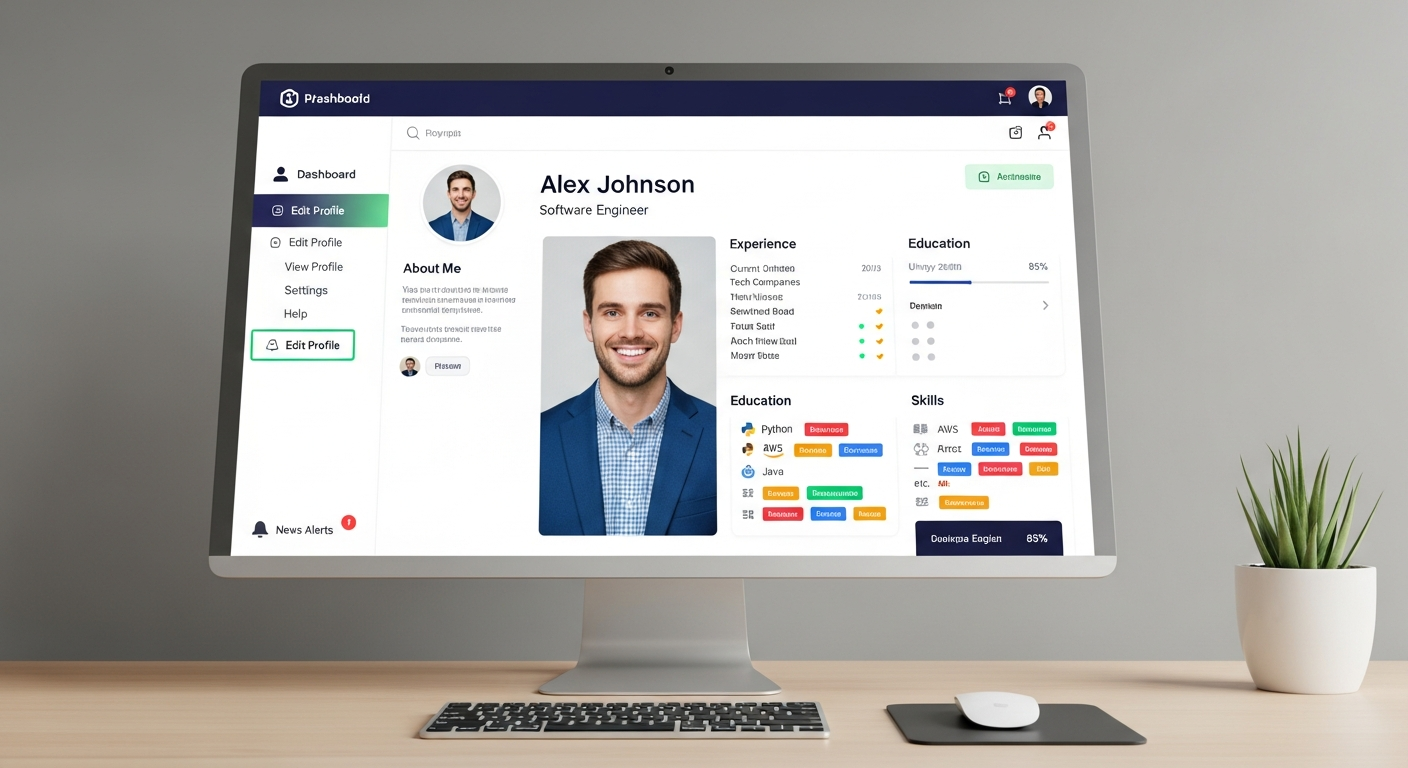
There is a simple framework I recommend. It keeps your page focused and makes it easier for visitors to find what matters.
- Headline. One sentence that states what you do and for whom. Example: Product designer helping startups ship features faster.
- About section. A short paragraph with your pitch, a bit of personality, and what you’re looking for. Keep it human.
- Key skills. A bullet list or tags of your core skills. Recruiters like skim-friendly lists.
- Work samples. Three to five projects or case studies. Include your role, the problem, what you did, and the result. Metrics are gold.
- Education and certifications. Keep this concise and link to transcripts or certificates if needed.
- Contact options. Email, a contact form, or a calendar link. Make contacting you easy.
- Social links. Link to LinkedIn and other professional profiles. Avoid noisy personal feeds.
- Optional extras. Testimonials, a résumé download, or a short blog that shows your thinking.
Common pitfall: stuffing everything onto the page. Less is more. Let the best examples shine and remove anything that doesn’t support your current goals.
How to create a standout profile in less than an hour
Indeed, it is possible to accomplish this in a fast manner. When you are working with a free profile creation site or an online profile builder, have this step-by-step checklist handy.
- Pick a template. Choose a clean layout that puts your headline and projects up front. Avoid cluttered templates.
- Write your headline. Clear, specific, and short. If you can, include a keyword like product manager, UX designer, freelance writer, or startup founder.
- Draft the about paragraph. Two to three sentences. Say who you help, how you help them, and one example of impact.
- Add three project highlights. Use the problem, action, result format. Add a link or image for each.
- List skills and tools. Be honest. People ask about tools during interviews.
- Upload a headshot. A clear, friendly photo is better than a logo or avatar.
- Set contact preferences. Add an email and a calendar link if you use one.
- Publish and share. Also, put the profile link on your résumé, LinkedIn, and email signature.
A little tip just for you: preparing your headline and about section in a separate document and then copying it to the profile builder will help you to not get any unexpected formatting or mistakes.
Examples that work (simple and human)
Examples help. Below are three short profile blurbs you can adapt. I use this kind of language when I coach people, because it’s direct and human.
- Entry-level designer
I’m a product designer focused on simple user flows for mobile apps. I interned at a fintech startup where I reduced onboarding friction by 20 percent. I’m open to UX roles and freelance projects.
Freelance writer I primarily write short, powerful case studies and educational pieces for SaaS companies. The clients I partnered with have seen a 30% rise in their trial signups as a result of the content I created. I keep my work load light with only a few projects per month.
Small business owner I run a community bakery that supplies the local cafes with fresh pastries. Part of my role is to develop new products and take care of the business side of the wholesale.
Each blurb gives the role, impact, and what they want next. That’s the template you should follow.
How to optimize your profile for search and discovery
Optimizing your profile does not require SEO certification. A few simple changes boost your chances of getting found.
Use clear keywords. Sprinkle the skills and titles people search for. If you want to attract freelance work, include free portfolio website or create online profile free where it fits naturally.Be specific. "Designer" is vague. "Product designer, mobile apps" is better.
Fill metadata. Some profile builders let you add a short description tag. Use it to explain who you are in 160 characters.
Link to other profiles. Cross-linking to LinkedIn and your blog signals consistency and helps search engines.
Use readable URLs. If the platform lets you choose a handle, pick your full name or a clear brand name.
Small detail: avoid keyword stuffing. Don’t jam a page with the same phrase over and over. That looks bad to readers and search engines. Aim for natural language that matches how people talk about your work.
Common mistakes and how to avoid them
I've reviewed dozens of profiles for students and colleagues. These mistakes come up again and again.
- Vague headlines. "Hardworking professional" tells no one what you do. Be specific.
- Long walls of text. People skim. Use bullets and short paragraphs.
- No work samples. Claiming you do great work without showing it is risky. Add screenshots, links, or PDFs.
- Broken contact links. I’ve seen profiles where email links don’t work. Test everything before you publish.
- Ignoring mobile. Many visitors view profiles on phones. Check your page on mobile and adjust images and text sizes.
- Over-designing. Fancy fonts and animations can distract. Stick to clarity and fast load times.
Fix these and you’ll look more credible instantly. In my experience, addressing just two of these issues—work samples and contact links—often doubles the number of responses people get.
How to use your profile for job applications and freelance work
Your profile should be tactical. Here are practical ways to use it every day.
- Replace or augment your résumé link. Instead of a long PDF, link to your profile page. It gives a richer picture of what you can do.
- Include it in cold outreach. When emailing a potential client, drop your profile link. It’s a low-friction way for them to verify your claims.
- Share in interviews. If an interviewer asks for examples, you can refer to specific project sections on your profile.
- Use as a portfolio in proposals. Save time and effort by simply including the link of your profile in your proposals instead of attaching your files again and again.
Here is a useful tip for you: if you are going to send an application to a new job, adjust the title of your profile and the main points of your work to reflect the vacancy. It is not necessary to create a new page every time. Just a few changes will make you look as if you are the perfect candidate for each position.
Advanced tips: personalization and analytics
Once you have a good profile, there are extra steps that give you a competitive edge.
Custom sections. Some platforms let you add testimonials, video intros, or downloadable one-pagers. Use them to answer frequent questions up front.Short video intro. A 30 to 60 second clip where you explain what you do makes your profile feel human. Keep it professional and natural.
Link tracking. If you share your profile in different places, use link shorteners with analytics to see where traffic comes from. That tells you which outreach works best.
Profile analytics. A few online profile builders show views and clicks. Watch these metrics to learn what parts of your page attract attention.
These features are not required, but they help once you're getting consistent traffic. I recommend starting simple. Add advanced features as you see traction.
Choosing the right free profile creation site
Not all platforms are equal. I recommend evaluating options based on three criteria: simplicity, discoverability, and customization.
- Simplicity. Can you create a polished profile quickly? If a platform has a steep learning curve, move on.
- Discoverability. Does the site produce a page that search engines index? That matters for your digital identity.
- Customization. Can you rearrange sections and add links or files? Minimal options are fine, but you should be able to showcase work.
Try two or three free platforms and pick the one that fits your workflow. You might start with a basic free portfolio website and later upgrade to a paid personal branding platform if you need more features.
Examples of simple profile sections you can copy
Here are short, plug-and-play phrases you can adapt. They work for people who want to create online profile free without spending a lot of time.
- Headline: Product designer focused on consumer mobile apps
- About: I design user-friendly experiences for fast-growing startups. I helped reduce churn at Company X by 15 percent through simplified onboarding.
- Project title: Onboarding redesign - Company X. Role: Lead designer. Result: 15 percent lower churn in 3 months.
- Contact line: Email me at name at email dot com or book a meeting via the link below.
Short, metric-driven bullets like these make your profile skimmable and convincing. You can expand on each item in a separate page or a PDF if someone asks for more detail.
Quick checklist before you publish
Before you hit publish, run through this checklist. It takes five minutes and prevents common blunders.
- Proofread for typos and grammar
- Click all links to make sure they work
- View the page on mobile and desktop
- Make sure images are sized properly and load quickly
- Confirm your contact method is up to date
If you want to be picky, ask a friend to read the top section only. If they understand who you are and what you do in 10 seconds, you passed the test.
How to measure whether your profile is working
Results matter. You should know if the profile helps you get interviews, clients, or leads. Track a few straightforward metrics.
- Profile views. If your profile builder reports views, monitor changes after you update content or share links.
- Contact inquiries. Count how many people reach out through your page each month.
- Conversion rate. For freelancers, compare proposals sent to responses received after adding a profile link.
- Quality of leads. Are messages from potential clients relevant? If not, tweak your headline and about section.
Tracking does not need to be fancy. A simple spreadsheet works. Note what you changed and when. Over a few months you’ll see which updates bring results.
How this helps build your personal brand online
A free profile creation site is a foundation for personal branding. You cannot build a brand in a day, but a consistent profile helps you tell the same story across platforms.
Brand consistency matters. If your LinkedIn headline, résumé, and profile page say different things, people get confused. Keep your core message the same: who you help and how you help them. Then use the profile to show proof.
In my experience, the combination of a clear headline, strong project examples, and a simple contact method is more effective than a long personal blog or social media push. People hire people who make their decision easy. Your profile should make that decision easy.
Real-life mini case study
I worked with a friend who freelances as a copywriter. She had a LinkedIn profile and sent cold emails, but replies were rare. We set up a free portfolio website, added three short case studies with metrics, and included a calendar link so prospects could book a discovery call.
Within six weeks she doubled her response rate. That came from two changes: giving prospects a clear way to learn about her work and making it easy to book time. The profile didn't magically create clients. It removed friction in the process and let her outreach convert better.
When to upgrade to a paid personal branding platform
Start with free. It’s fast and low risk. Consider paid options if:
- You need a custom domain and more control over design
- You want to host a blog or gated downloads
- You need advanced analytics or CRM integration
- You’re building a serious personal brand and need a professional site
Many people move to a paid personal branding platform once they have steady traffic or recurring client work. The paid features help scale, but they are not required to get traction early on.
Final thoughts and next steps
If you leave with one task today, make a profile and publish it. Spend an hour on a free profile creation site and add your best three examples of work. That small step improves your digital identity and makes it easier for others to find you.
Remember these simple rules: be specific, show results, and make contact easy. Avoid long paragraphs and filler. Be human. A short personal note about why you do the work can go a long way.
I’ve noticed that the people who get the best responses are the ones who treat their profile as a living document. They update it after each project, measure traffic, and tweak headlines. You do not need to be perfect out of the gate. You just need to be clear.
Read More : Best Freelance Websites for Students in 2025 (Ranked & Compared)
Helpful Links & Next Steps
If you want help creating a profile that converts, I can show you the exact structure to use. Book a meeting with Agami technologies and we’ll walk through your profile together. It’s an easy way to get feedback and get visible.
FAQs
1. What is a free profile creation site?
A free profile creation site lets you build a personal or professional profile online without paying anything. You can showcase your skills, experience, links, and achievements in one place to improve your digital presence.
2. How can a free profile help improve my online visibility?
A well-optimized profile helps you appear in search results, makes it easier for people to find you, and creates a strong first impression when someone searches your name or brand online.
3. Who should use a free profile creation platform?
Anyone looking to build an online presence can benefit, including job seekers, freelancers, students, creators, entrepreneurs, and small business owners who want a simple and professional digital identity.
4. Can a free profile creation site help with personal branding?
Yes, it helps you control how you appear online by highlighting your strengths, skills, and work. This makes your personal brand more consistent and professional across platforms.
5. Is a free profile creation site suitable for long-term use?
Absolutely. Many platforms allow you to update your profile anytime, add new achievements, and grow your presence as your career or business evolves.