Beat ATS Systems Every Time - AI Resume Templates That Get Results
If you've ever put in a job application and then been met with complete silence, you're definitely not the only one. My resume was totally fine, I thought, until I learned that the majority of companies don't really read resumes the way we do. The problem is that they depend heavily on Applicant Tracking Systems, or ATS, which are the systems that determine if your resume will be reviewed by a human or not. Frustrating, isn't it? I have seen that many job seekers, new graduates, people who want to change their career, and professionals, make identical mistakes that cause their resumes to be turned down by ATS. The nice thing is that you can fix most of these issues in no time at all. If you choose the right format, put in the right keywords, and make a few smart tweaks, your resume will be able to get through the ATS and be seen by a recruiter.This article is about the practical tips, simple examples, and AI resume templates that can help you to be successful with ATS systems every time.
What is an ATS and why it matters
ATS is short for Applicant Tracking System. Imagine it as a gatekeeper. Businesses employ it to filter through resumes, highlight keywords, and rank candidates. The system looks through your document to find match points from the job description. In case your resume is not a match, it may not be sent to a human recruiter at all.
That means a superb interview-ready resume can still be invisible if it isn't formatted or optimized for ATS. You're not being picky if you want your resume to be seen. You're being practical.
How ATS reads resumes - a simple breakdown
ATS is not psychic. It can't guess your meanings or read fancy layouts. It extracts text and matches it with job requirements. Here’s what it pays attention to:
- Keywords and phrases related to skills, tools, and qualifications
- Job titles and company names
- Dates and employment timeline
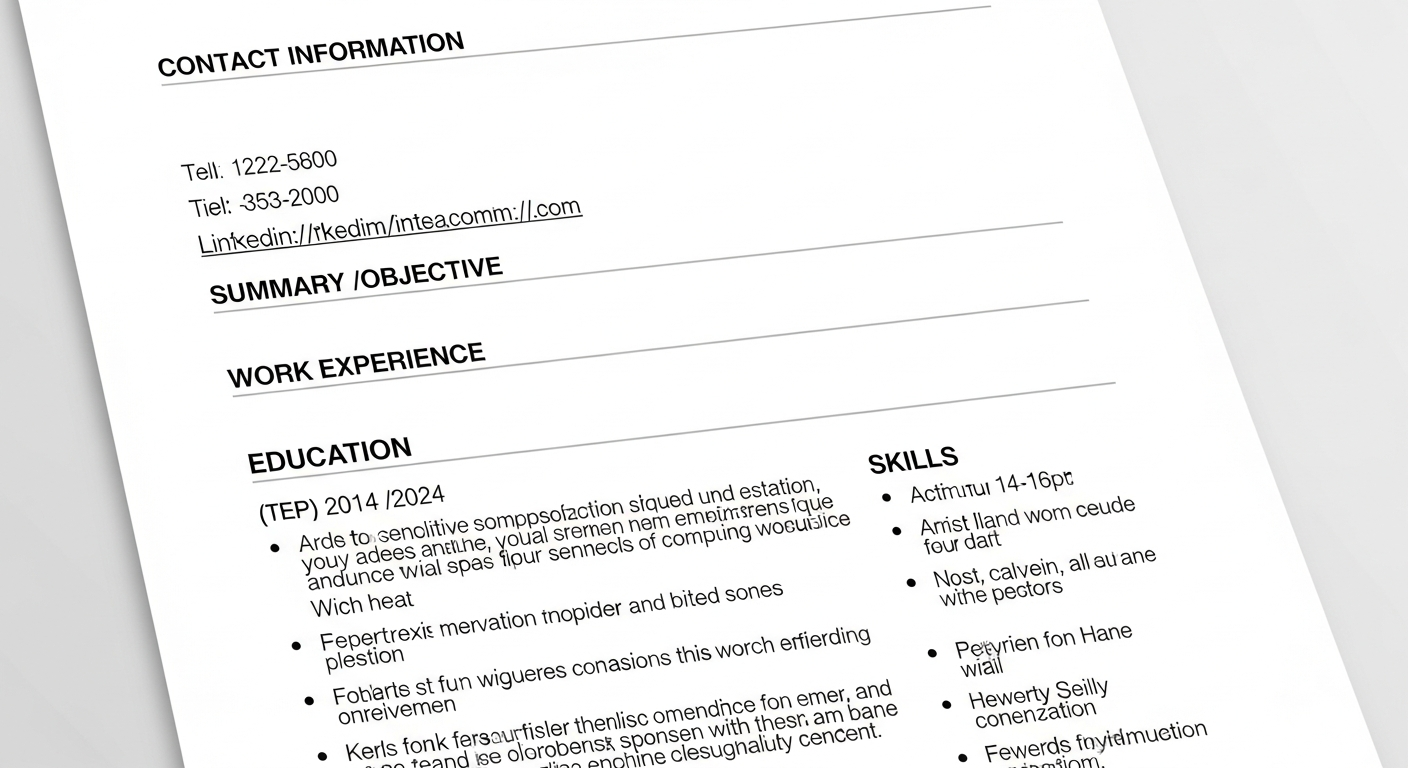
- Section headers like Work Experience, Education, Skills
- File type and basic formatting
Translate that into plain advice: use clear headings, standard fonts, and words from the job description. Keep it honest and readable. An ATS friendly resume isn't about tricking the machine. It's about making relevant skills obvious.
Common ATS mistakes and how they hurt your chances
I've seen so many resumes that look great visually but fail basic ATS checks. Here are the most common pitfalls and why they matter.
- Unreadable formats. Fancy templates with columns, images, or text boxes often break parsing. If an ATS can't read your resume, it scores you zero.
- Using headers or footers for important info. Some ATS ignore content in headers and footers, so your contact info could disappear.
- Overuse of graphics or icons. They look modern, but ATS ignores them. An icon for "email" won't count as the word email.
- Missing keywords. If the resume doesn't include terms the job ad uses, it won't rank well. This is huge for specialized roles.
- Nonstandard dates and titles. Using vague date formats or odd job titles makes it harder to extract history and experience.
These errors are easy to fix, but most people don't realize they matter until it's too late. Don't let layout choices sabotage your job application resume.
Key elements of an ATS friendly resume
There's no magic. An ATS resume follows clear rules. Nail these basics and you'll be ahead of most applicants.
- File type. Use PDF or DOCX. PDF is usually safe, but some legacy ATS prefer DOCX. When in doubt, check the job posting or upload both if allowed.
- Simple layout. Use a single column, standard margins, and common fonts like Arial, Calibri, or Times New Roman.
- Clear section headers. Use Work Experience, Education, Skills. Don't use creative headings like "My Journey" or "What I Do.
- Consistent dates. Use a standard format like Jan 2020, Dec 2022 or 01/2020, 12/2022. Be consistent with all entries.
- Readable job titles. When possible, use industry, standard titles, for example "Software Engineer" instead of "Code Ninja."
- Keywords. Mirror the job description but stay truthful. Include tools, certifications, and soft skills where relevant.
Following these makes your resume that passes ATS and shows your qualifications clearly to hiring managers.
Why AI resume templates work for ATS
AI resume templates aren't a silver bullet, but they solve several common problems fast. In my experience they save hours of fiddling and reduce guesswork when optimizing resumes for different job applications.
Here’s what AI templates do well:
- Suggest ATS friendly phrasing and section order
- Highlight relevant keywords based on the job description
- Convert your resume into modern resume formats that parse cleanly
- Offer variations tailored to specific roles, like marketing or data analysis
Think of AI resume templates as a smart coach. Similar to how a LinkedIn ad maker helps professionals create polished promotional content quickly, AI resume tools simplify optimization and improve presentation. When you use an AI resume builder, you learn which resume keywords for ATS matter most for your field.
Step-by-step: Use AI resume templates to beat ATS
I want to show you a method I typically use with students and coworkers. Initially, it usually takes between 30 to 60 minutes, but you can complete it in less time as you become more proficient.
- Begin with a fresh template. Choose a straightforward one, column AI resume template without any unnecessary features. The template must have the sections: Summary, Experience, Education, Skills, and Certifications.
- Paste the job description. Use the AI tool to analyze the posting. It will pull out common keywords and suggested skills. This is your cheat sheet.
- Match language, not copy-paste. Rewrite your bullet points to include those keywords naturally. Do not lie. If the job wants "Python" and you used it, mention Python and briefly what you did with it.
- Quantify impact. Replace vague statements with numbers. For example, say "Improved customer retention 15 percent" rather than "Improved retention."
- Keep dates and titles clear. Update job titles to standard versions where appropriate. If your official title is unusual, add a clarifying standard title in parentheses.
- Run an ATS check. Use the tool's preview or a resume scanner. Adjust based on the score and suggestions.
- Tailor for each application. Each job posting is different. Keep a master resume and create role-specific versions for best results.
The great thing about AI powered resume tools is they make steps 2 and 6 painless. You get targeted resume optimization for ATS without hours of research.
Before and after: quick examples
Short examples show what actually changes. Below are simplified before and after bullets for two roles. See how a few words and a number make a difference.
Software Engineer
Before: Built backend services for company app.
Developed RESTful APIs using Python and Flask that led to a 30% decrease in response times for the customer, facing app.
Tools: Flask, PostgreSQL, Docker. Marketing Specialist
Before: Managed social media accounts and content.
After: Social engagement was increased by 45% in six months through a targeted content calendar and A/B testing.
Tools: Hootsuite, Google Analytics.
See the pattern? We added keywords, tools, and metrics. ATS picks up terms like Python, RESTful APIs, Flask, and Docker. Recruiters see the impact. It's a win-win.
Resume keywords for ATS: what to include
Keywords differ per industry, however, the underlying principle remains the same. Refer to the job description and insert department, specific equipment and methods. Here are some short lists to help you get going.
Software & Tech
- Python, JavaScript, Java
- RESTful APIs, microservices
- Docker, Kubernetes
- AWS, Azure, GCP
- CI/CD, Git, unit testing
Data & Analytics
- SQL, Python, R
- Tableau, Power BI
- ETL, data modeling
- machine learning, regression analysis
- big data tools like Spark
Marketing
- SEO, SEM
- content strategy, copywriting
- Google Analytics, A/B testing
- social media management
- campaign optimization, lead generation
HR & Operations
- talent acquisition, onboarding
- HRIS, payroll systems
- process improvement, Six Sigma
- employee engagement
- compliance and policies
Don't stuff keywords randomly. Use them where they genuinely represent your experience. If your resume reads like a keyword salad, both ATS and humans will notice.
Modern resume formats that pass ATS
There are three common formats: reverse chronological, functional, and hybrid. For ATS, reverse chronological or a simple hybrid usually work best.
- Reverse chronological. Your most recent job first. Great if you have a steady work history.
- Hybrid. A skills section at the top combined with chronological experience below. Useful for career switchers who need to highlight transferable skills.
- Functional. Focuses on skills rather than timeline. This format often confuses ATS and may reduce your score, so use it cautiously. If you are a fresh graduate or a placement candidate, use a hybrid format. Put a short, focused summary and list internship projects with tools and outcomes. That helps ATS pick up relevant keywords while giving recruiters context.
Tips for fresh graduates and career switchers
New grads and people switching fields worry they don't have enough experience. You probably do, even if it's not formal work. Internships, projects, volunteer work, and freelance gigs count.
Try this:
- Create a projects section on your resume. Briefly explain the problem, your role, and the result. Also, mention the tools and metrics you used.
- Be more explicit with the role titles. If your internship title was confusing, change it to a more standard title and write the original one in parentheses.
- Focus on transferable skills like communication, project management, and data analysis by providing real, life examples.
- Only include coursework if it is directly related to the job requirements.
- Students who are going to have placements should make different versions of their resumes for each type of role. Have one master copy and create different versions that highlight different skills. I bet this simple habit not only saves your time but also gives you better results.Quick examples for common mistakes and fixes
Simple fixes often make the biggest difference.
- Mistake: Using a PDF with images and columns.
- Fix: Export a clean single-column DOCX or text-based PDF that keeps sections linear.
- Mistake: Hiding keywords inside a paragraph summary.
- Fix: Add them to the skills section and sprinkle them into bullet points with context.
- Mistake: Writing long paragraphs in the experience section.
- Fix: Use short bullets. Start with action verbs and add metrics. Recruiters scan quickly.
Small changes like these improve both ATS scores and human readability. You're not just optimizing for a machine. You're optimizing for a person who has to hire you.
Testing your resume: tools and tricks
Don't guess. Test. There are simple ways to see how an ATS will read your resume.
- Paste your resume into a plain text file to check what an ATS sees. If your name or section headers vanish, fix formatting.
- Use a resume parser or ATS checker. Many AI resume builders include one. They’ll highlight missing keywords and formatting issues.
- Compare your resume to the job ad. Score how many keywords match. If you miss core skills, update your bullets.
Pro tip: Run both a parser and human review. A high ATS score is good, but readability matters more in the end. Make sure a hiring manager can skim and understand your achievements in 30 seconds.
How recruiters read resumes after ATS
Once your resume clears ATS, a human recruiter reviews it for fit. Recruiters look for a few quick signals:
- Relevance. Does your experience align with the role?
- Impact. Did you make measurable contributions?
- Stability and progression. Has your career grown logically?
- Clarity and focus. Can the recruiter summarize your profile in one sentence?
Use one-line summaries and specific bullets to make those signals stand out. A clear, ATS friendly resume increases both machine scores and human attention.
Common pitfalls when using AI resume templates
AI tools are great, but they're not perfect. Here are some traps to watch for.
- Generic phrasing. Some AI suggestions sound bland or overused. Customize phrases so they reflect your real work.
- Keyword stuffing. Don’t repeat keywords unnaturally. ATS can penalize redundancy and humans will be annoyed.
- Over-automation. Avoid blindly accepting suggested bullets. Use them as drafts and add your voice.
- One-size-fits-all resumes. An AI template may create a strong master resume, but you still need to tailor for specific jobs.
Use AI as a smart assistant, not a copy machine. I usually edit every AI suggestion by hand to make sure it’s true and crisp.
Realistic examples of tailoring for two job descriptions
Let’s say you’re applying for two roles: a Data Analyst and a Product Manager. You don’t need separate resumes from scratch. Instead, make two tailored versions of your master resume.
For Data Analyst:
- Emphasize SQL, Python, data visualization tools like Tableau
- Include keywords: ETL, regression analysis, data modeling
- Highlight projects with datasets, dashboards, and measurable outcomes
For Product Manager:
- Emphasize roadmap planning, stakeholder management, and A/B testing
- Include keywords: product lifecycle, user research, KPI tracking
- Highlight cross, functional projects, launch metrics, and strategic impact
Small shifts in phrasing and emphasis can change your ATS match score dramatically. Tailor, test, repeat
ATS resume tips: quick checklist
- Use clear headings: Work Experience, Education, Skills
- Pick a single-column layout and standard fonts
- Include job-specific keywords naturally
- Quantify achievements with numbers when possible
- Keep dates consistent and visible
- Avoid images, charts, and complex tables
- Run an ATS check and plain text preview
- Make a tailored version for each application
Keep this checklist handy when you're applying. It’s a short ritual that pays off.
Case study: how a small tweak changed the outcome
I helped a friend applying for product roles. She had relevant experience but kept getting no replies. We made three changes:
- Replaced a two-column template with a simple single-column DOCX.
- Added targeted keywords from the job postings, like "user research" and "roadmap prioritization."
- Made bullets less vague and more metric driven: "Introduced feature X resulting in 12 percent retention increase.
Her ATS score went up significantly after implementing those changes, and she received three interview offers within two weeks. It served as a nice reminder that just a few small, truthful tweaks are often sufficient to get past ATS systems.
How whoozit helps
If you want a faster path, check out whoozit. Their AI resume builder includes smart resume templates designed to be ATS friendly and modern. It suggests keywords, cleans formatting, and helps you create role-specific resumes without guessing.
In my experience, using a tool like whoozit speeds up the tailoring process and helps you learn what ATS looks for. It's not a shortcut to success, but it's a useful partner when you're applying to multiple roles.
Final thoughts: make your resume work both for machines and people
Ultimately, your resume should be ATS, friendly and appeal to the person who will make the hiring decision. This entails that the resume should be easy to read, convincing, and aligned with the job description. It's okay to utilize AI resume templates for the sake of efficiency, but don't forget to include your unique style and details.
One small habit I recommend: keep a master resume and create tailored copies for each job. Each tailored version should have the job title keywords, top skills, and two or three role-specific bullets. It takes a few minutes and it matters.
Want to try an AI resume template built with ATS in mind? Give whoozit a spin and see how it helps you optimize for real job ads.
Read more : Good Portfolio Sites to Showcase Your Work Online
Helpful Links & Next Steps
If you want hands-on help, let's talk. Book a meeting and we can review your resume together, run an ATS check, and build a targeted version for your next application.
FAQs
1. What is an ATS resume template?
An ATS resume template is a resume format designed to be easily read by Applicant Tracking Systems, using clean layouts, standard headings, and proper keyword placement.
2. How do AI resume templates help beat ATS systems?
AI resume templates analyze job descriptions and automatically optimize keywords, formatting, and structure to improve your resume’s chances of passing ATS scans.
3. Can ATS-friendly resumes still look professional?
Yes. ATS-friendly resumes focus on clarity and simplicity while maintaining a professional and modern appearance suitable for recruiters and hiring managers.
4. Do ATS resume templates work for all job roles?
Yes. ATS resume templates can be customized for different industries, roles, and experience levels by adjusting keywords and content to match specific job requirements.