Website Visitor Tracking: Turn Anonymous Traffic into Leads
This blog explains how B2B teams can turn anonymous website traffic into a pipeline by identifying visitors, scoring intent, and enriching records for CRM and ABM. It argues that pageviews alone miss account-level signals, and presents practical steps: install visitor tracking, define intent signals and scoring, enrich and match visitors to accounts, push data to CRM, and personalize outreach. It highlights common pitfalls (over-contacting, poor CRM mapping, IP limits, privacy), measurement metrics, tool and integration considerations, and quick automation recipes. The goal is actionable guidance to capture intent, prioritize outreach, and convert more visitors into qualified leads with measurable business impact.
Most B2B sites get traffic, but very few turn that traffic into a real pipeline. You can see numbers in Google Analytics, but you do not know who those visitors are. I have seen this problem over and over. Teams pour money into content and paid channels, then watch anonymous visitors disappear without a trace.
This post shows how to change that using tools like Whoozit, a website visitor identification and lead intelligence platform built for B2B teams. You will learn practical steps to identify anonymous website visitors, use website visitor tracking effectively, and convert more visitors into qualified leads. I will include simple examples, common mistakes, and how a tool like Whoozit can make the process faster and cleaner.
Why anonymous traffic is a problem for B2B
B2B buying cycles are long. Multiple stakeholders visit your site across days or weeks. If you only track pageviews and sessions, you miss the account-level signals that matter. Anonymous visitors often mean missed pipeline, longer sales cycles, and wasted ad spend.
In my experience, marketing teams think traffic equals demand. It does not. Traffic is attention. The job is to capture intent and connect it to an account or a person. That is where website visitor identification and lead intelligence software come in.
What website visitor tracking actually does
Website visitor tracking lets you go beyond standard analytics. Instead of just seeing numbers and pages, you can:
- Identify company names behind IP addresses
- Capture firmographic data like industry, size, and location
- See which pages and content indicate buying intent
- Enrich leads with contact and technographic data
- Feed that information into CRM and automation tools for follow up
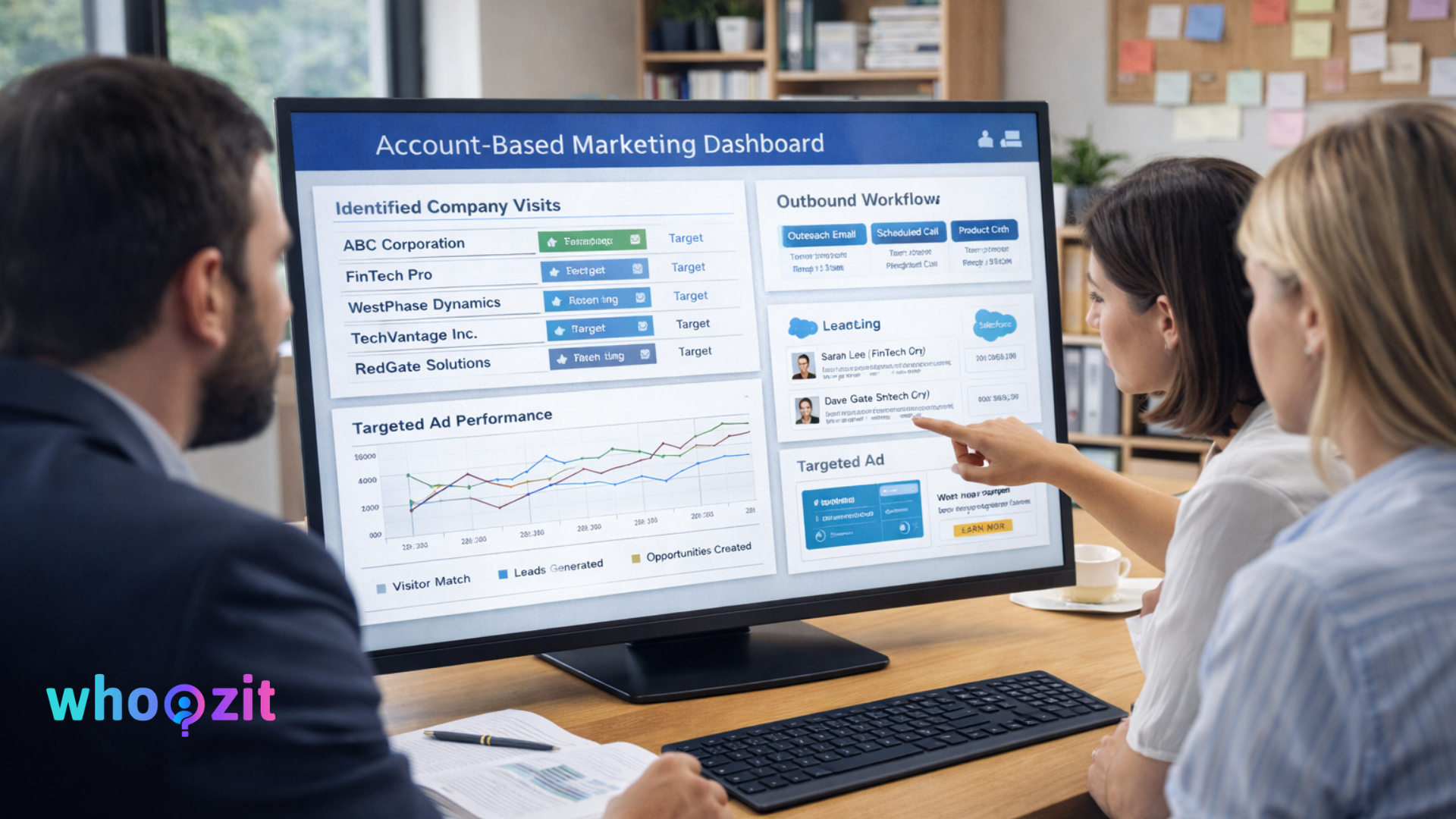
Think of it as adding a lens to existing analytics. You still get sessions and bounce rates, but now you can answer the question, who is looking at our pricing page, and from which company?
Common signals that show buying intent
Not every pageview is useful. Some pages are stronger signals than others. Here are the pages and behaviors I watch first:
- Pricing and product pages, especially repeated visits
- Feature comparison pages or case studies related to your industry
- Specific content like integration docs or API references
- Demo or contact page visits combined with high time on site
- Returning visitors from the same company across multiple sessions
If you can tie these signals to a company or account, you can prioritize outreach. That is what account based marketing tools and visitor tracking software make possible.
How website visitor identification works, in plain English
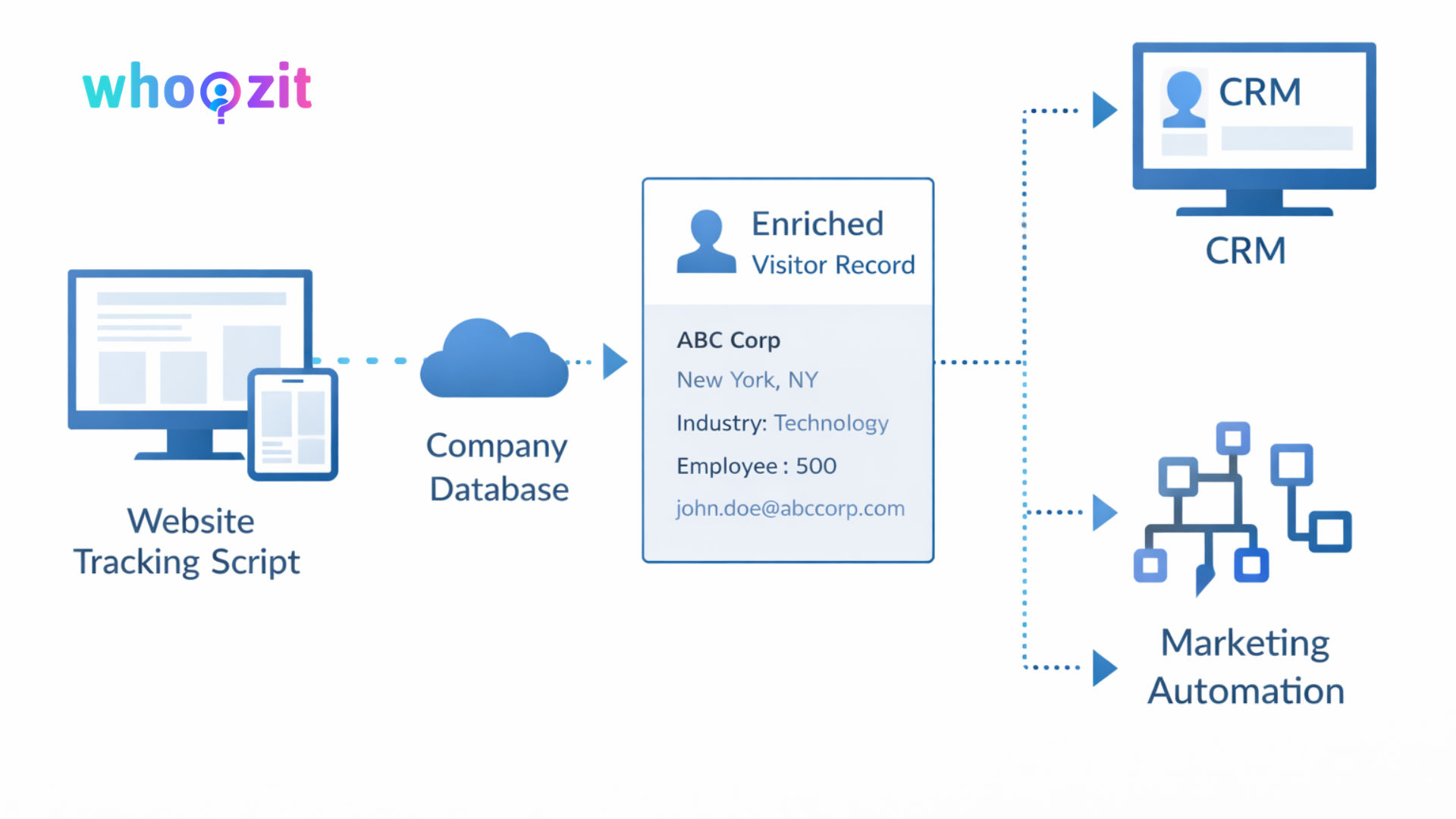
The mechanics are simpler than people fear. Here is the typical flow:
- Your website includes a small tracking script, similar to analytics tracking
- The script captures IP addresses and behavioral signals like pages visited
- Visitor tracking software matches IPs and other signals to company databases
- That software enriches the result with firmographics and intent data
- Enriched records go to your CRM, marketing automation, or sales tools
That is it. No mystery. For deeper insights on lead intelligence, ABM strategy, and conversion optimization, explore more resources on the Whoozit Blog. You still need to handle false positives and privacy rules, but the backbone is straightforward visitor matching and enrichment.
Step by step: Turn anonymous visits into booked demos
Let us build a practical workflow you can use tomorrow. I have seen teams implement this in a few weeks, not months.
1. Instrument your site for tracking
Install a visitor tracking script alongside your analytics. Use a solution that respects privacy and works well with your tag manager. Test it on dev and staging first. I always test on a small page to ensure no script conflicts or slowdowns.
Key checks:
- Loading speed, so tracking does not slow down pages
- Compatibility with existing scripts and cookies
- Correct event capture for pages like pricing and demo signup
2. Define intent signals and scoring
Not every visit needs outreach. Create a simple scoring model using pages and behaviors.
- 3 points for pricing page visit
- 2 points for demo request page views
- 1 point for blog posts in target verticals
- Add points for repeated visits or long session duration
When a company crosses a score threshold, it becomes a sales-ready lead. I recommend starting with conservative thresholds and tuning after two weeks of real data.
3. Enrich and match visitors to accounts
Use firmographic enrichment to convert IP matches into company names. Then add vertical, employee count, tech stack, and location. This is where lead intelligence software helps. It reduces manual work and gives sales context when they reach out.
A tip I use: look for high-value job titles in anonymous data, such as product managers, head of engineering, or procurement. Those roles often indicate buying power.
4. Push leads into CRM and route them
Send enriched visitor records into your CRM or RevOps stack. Build workflows so the right rep gets a task, and the right marketing sequence runs in the background. For account based marketing, push data into your ABM platform to personalize campaigns.
Make sure data fields map correctly. Bad mappings create messy records and slow adoption across sales and marketing teams.
5. Use intent data to personalize outreach
When a rep sees a company viewed the pricing page three times in a week, the first outreach should be relevant and short. Mention the specific page or content they viewed. That is how you get replies.
Example email:
Hi, I noticed your team visited our API pricing page. We recently helped a company in your space reduce integration time by 30 percent. Would you like a quick 15 minute call to see if we can help you do the same
Short and relevant beats long templated sequences. I say this from watching dozens of outreach threads turning into real meetings.
Tools and integrations that matter
There are many options. The right choice depends on your stack and budget. Here are categories to consider and why they matter.
- Visitor tracking software, for identifying anonymous visitors at the company level
- Lead intelligence software for enrichment and contact discovery
- CRM and RevOps tools, for routing and follow up
- Marketing automation for B2B, to run nurture sequences when an identified company needs warming
- Account based marketing tools, for targeted ad and email campaigns to priority accounts
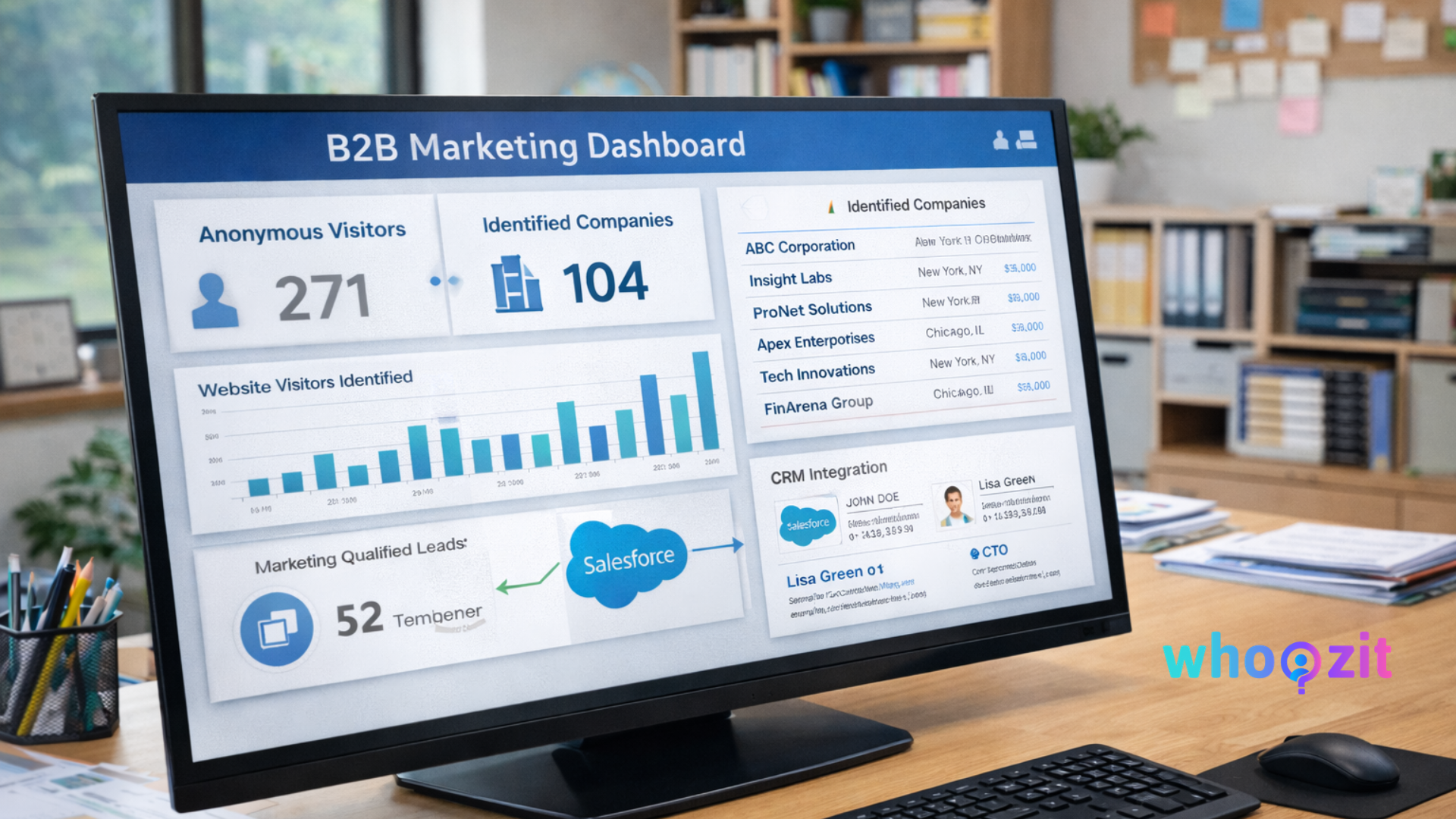
Whoozit sits in the visitor identification and lead intelligence space. It can identify anonymous website visitors and push enriched records into your CRM, making it easier to convert website visitors to leads. That direct integration shortens the path from intent to demo.
Measuring success: metrics that prove impact
Move beyond pageviews. Track metrics that link to pipeline and revenue.
- Identified accounts per month, compared to baseline
- Conversion rate from identified account to demo booked
- Time from first visit to demo or SQL
- Pipeline influence and won deals that originated from identified visits
- Cost per identified lead vs cost per form submission
I often see a quick lift in the pipeline when teams add website visitor tracking. The initial uplift is usually in the quality of outreach and faster qualification, not necessarily in raw traffic numbers.
Common mistakes and how to avoid them
People make the same errors when implementing visitor tracking. Here are the ones that trip teams up.
Pitfall 1: Treating every identified company as a lead
Not every identified account is ready for sales. You need intent scoring. Otherwise, reps waste time chasing noise. Start with low-volume, high-intent signals and then expand.
Pitfall 2: Poor CRM mapping and hygiene
Bad data mapping creates duplicate records and confused reps. Test mappings on a sandbox. Create rules for deduplication and updating existing records.
Pitfall 3: Relying only on IP matching
IP lookups are useful, but they miss remote teams and companies behind shared proxies. Use multiple signals like reverse domain lookup and cookies. Combine sources for better accuracy.
Pitfall 4: Ignoring privacy and consent
Privacy rules vary by jurisdiction. Make sure your tracking respects consent and lets users opt out where required. Ignoring this leads to legal risk and reputational damage.
Account based marketing with visitor tracking
Visitor tracking and ABM are a natural fit. Identify accounts that show intent, then run coordinated campaigns across channels. That could be targeted ads, personalized emails, or bespoke content for that account.
Here is a simple ABM flow using visitor data:
- Identify accounts visiting multiple high-intent pages
- Segment those accounts by industry and company size
- Run a tailored ad or landing page for each segment
- Send an outreach email referencing the page they viewed
- Measure engagement and iterate
This approach reduces wasted spend and makes messages feel personal. I have seen teams double demo conversion rates by aligning ABM campaigns with website intent data.
How sales teams should use visitor tracking
Sales reps often get a list of companies without context. That is frustrating and unhelpful. Instead, give them signals and scripts that help start a relevant conversation.
Provide three things with every identified account:
- Why they looked at your site, based on pages and intent
- Any known contacts and job titles
- A recommended next step, such as an intro email or targeted piece of content
When reps get that context, they send shorter, clearer messages and get higher reply rates. It sounds obvious, but many teams skip this step and expect reps to figure it out.
Content and conversion changes that improve lead capture
Tracking helps, but you still need a conversion path. Here are quick, practical fixes that work for B2B websites:
- Put a clear call to action on high-intent pages, such as schedule a demo or request a quote
- Offer low-friction conversions, like calendar booking or a short qualification form
- Use content tailored to the buyer stage, such as case studies for mid-funnel accounts
- Add micro-conversions, like downloadable checklists, so you capture emails without a big commitment
For example, a simple Visitor Conversion Checklist works wonders. It is short, useful, and directly tied to the visitor tracking concept. When you offer something small and helpful, people are more likely to share their email.
Real world examples
Here are two short, human examples you can relate to.
Example 1: SaaS company improves demo booking
A mid-stage SaaS company noticed many visits to its integrations page from a handful of target accounts. Using website visitor identification, they found the accounts and enriched contact data. Sales sent personalized invites referencing the integrations page. Two weeks later, several demos were booked, and one account converted to a pilot.
Key takeaway: the outreach was specific and timely, not generic. That made the difference.
Example 2: Agency reduces wasted ad spend
A digital agency was spending heavily on paid channels, but performance looked weak. By implementing visitor tracking, they saw which accounts actually came from their campaigns. They reallocated budget to higher-value channels and used identified accounts for direct outreach. Conversion from visitor to lead improved noticeably.
Privacy and compliance: what to watch
Tracking visitors comes with responsibility. Make sure you address these points:
- Follow GDPR, CCPA, and other local privacy laws
- Display clear cookie and privacy notices
- Provide consent management and opt out options
- Use hashed or pseudonymized data when possible
- Document your data flows for audits
In my experience, clear privacy practices improve trust. Customers prefer vendors that are upfront about data use. That is an easy win for reputation and compliance.
How to evaluate visitor tracking software
Not all solutions are equal. When you evaluate tools, ask these practical questions:
- How accurate is the company matching, and how is accuracy measured
- Which enrichment fields are included by default
- How does the software handle remote or VPN traffic
- Which integrations are available for CRM and ABM platforms
- What privacy and consent features are built in
- How quickly can you go from install to actionable data
Speed matters. A tool that takes months to configure is rarely a good fit for fast-moving growth teams. I prefer solutions that let you see meaningful results within weeks.
Integrations and automation examples
Here are three simple automation recipes you can build right away.
Recipe 1: High-intent account alert
- Track visits to pricing and demo pages
- When an account hits a threshold, send a Slack alert to the account owner
- At the same time, create a CRM task for follow up
This gives reps immediate context and a prompt to act. Actionable alerts beat long reports that nobody reads.
Recipe 2: Warm-up email sequence for identified accounts
- Identify the company and known contacts
- Add contacts to a short, three-email sequence referencing the content they viewed
- If no response, route the account to ABM ads for two weeks
Short, relevant sequences out-perform long generic nurtures. Keep it light and human.
Recipe 3: Lead enrichment and scoring
- Enrich identified visitors with industry and company size
- Apply score based on pageviews and enrichment attributes
- Send only high-scoring accounts to sales
This reduces noise for sales and keeps the pipeline clean.
How Whoozit fits into this picture
Whoozit focuses on website visitor identification and lead intelligence. It helps you identify anonymous website visitors, enrich visitor records, and push them into your sales and marketing tools. In short, it can turn anonymous traffic into actionable leads for B2B teams.
From my experience, using a dedicated lead intelligence tool speeds up results. Instead of waiting for people to fill forms, you get early-stage signals that trigger personalized follow up. That shortens the sales cycle and increases conversion from visitor to lead.
Quick checklist to get started this week
- Install a visitor tracking script on your site and verify it is not slowing pages
- Define 3 to 5 high-intent pages to use as signals
- Create a simple scoring system and set a threshold
- Choose a lead intelligence provider and set up enrichment and CRM mapping
- Build one automation rule to alert sales when a high-intent account is identified
- Offer a low-friction lead magnet, such as a Visitor Conversion Checklist, to capture emails
Start small, measure, and iterate. You do not need a finished playbook to see value. I often advise teams to focus on the top 20 percent of pages that drive 80 percent of intent.
Frequently asked questions
1. Will IP-based matching work for remote-first companies?
It can be harder because remote teams use home IPs and VPNs. Combine IP matching with other signals, such as email domains captured via form fills, reverse DNS, and progressive profiling. Use multiple data sources to improve accuracy.
2. Does tracking violate privacy regulations?
Not if you follow the rules. Display clear cookie notices, obtain consent where required, and let users opt out. Use pseudonymized data where possible and document compliance efforts.
3. How soon will we see results?
Many teams see useful signals in a few days and meaningful leads within weeks. The timeline depends on traffic volume and how well your scoring and outreach are tuned.
Final thoughts
Website visitor tracking is not magic, but it is powerful when applied correctly. It gives you context, prioritization, and a faster way to convert the right visitors into the pipeline. Start with a low-friction implementation, focus on a few high-intent signals, and improve your outreach using the insights you get.
If you are running a B2B growth team, this is one of the highest leverage levers you can pull. It moves you from guessing who showed up to knowing which accounts are worth talking to.
Helpful Links & Next Steps
Ready to convert more anonymous traffic into a pipeline
If you want to see this in action, Book a Meeting Today, and we can walk through a quick audit of your site. I will show you where you have intent signals right now and how to turn them into leads without overloading your sales team.