Electronic Resume Examples – Modern Digital Resume Templates Online
Looking for the right online resume examples or digital resume templates can feel overwhelming. I get it. There are dozens of builders, hundreds of templates, and everyone claims their design is the one that gets interviews. In my experience, the right electronic resume is the one that highlights your strengths clearly, passes applicant tracking systems, and looks good when a hiring manager skims it for 10 seconds.
This post breaks down practical advice for students, recent grads, experienced pros, remote workers, and freelancers. I’ll show you what modern electronic resumes look like, what to avoid, and how to use a digital resume builder effectively. Expect simple examples, common pitfalls, and actionable steps. No fluff.
Why Use a Digital Resume in 2025?
First, a quick reality check. Most applications begin online now. Recruiters skim, ATS software scans, and many hiring conversations start over LinkedIn or email. A modern electronic resume helps with all three.
- It’s easy to share. You can send a link, upload a PDF, or attach a polished file to a job portal.
- It’s readable by machines. A good electronic resume design helps your resume pass ATS and land in a human reviewer’s inbox.
- It’s flexible. You can use templates tailored to different industries - creative, technical, or corporate.
I've noticed that candidates who invest a little time in a digital resume get more responses than those who reuse an old Word file without updates. Small upgrades matter.
Digital Resume Templates vs Traditional Resumes
Are templates lazy? Not if you choose well. Templates give you a structure that works. They keep your layout consistent and help you prioritize content.
It is a mistake to depend on a flashy design that covers up your weak content. A resume is to showcase your info in a clear way first, and then appeal visually. Consider design as the box, not the item.
When to employ a contemporary template .
If you are a recent grad or a mid-career professional and want a neat, readable layout. If you are sending an application to startups, tech roles, or creative positions that are accepting of a modern style.
You're sending a resume as a PDF or sharing an online link where layout is preserved.
When to keep it simple
- The job requires strict formatting or has a resume text box in the application portal.
- The ATS used by the employer is known to misread complex layouts.
- You're not comfortable editing the template to match your content.
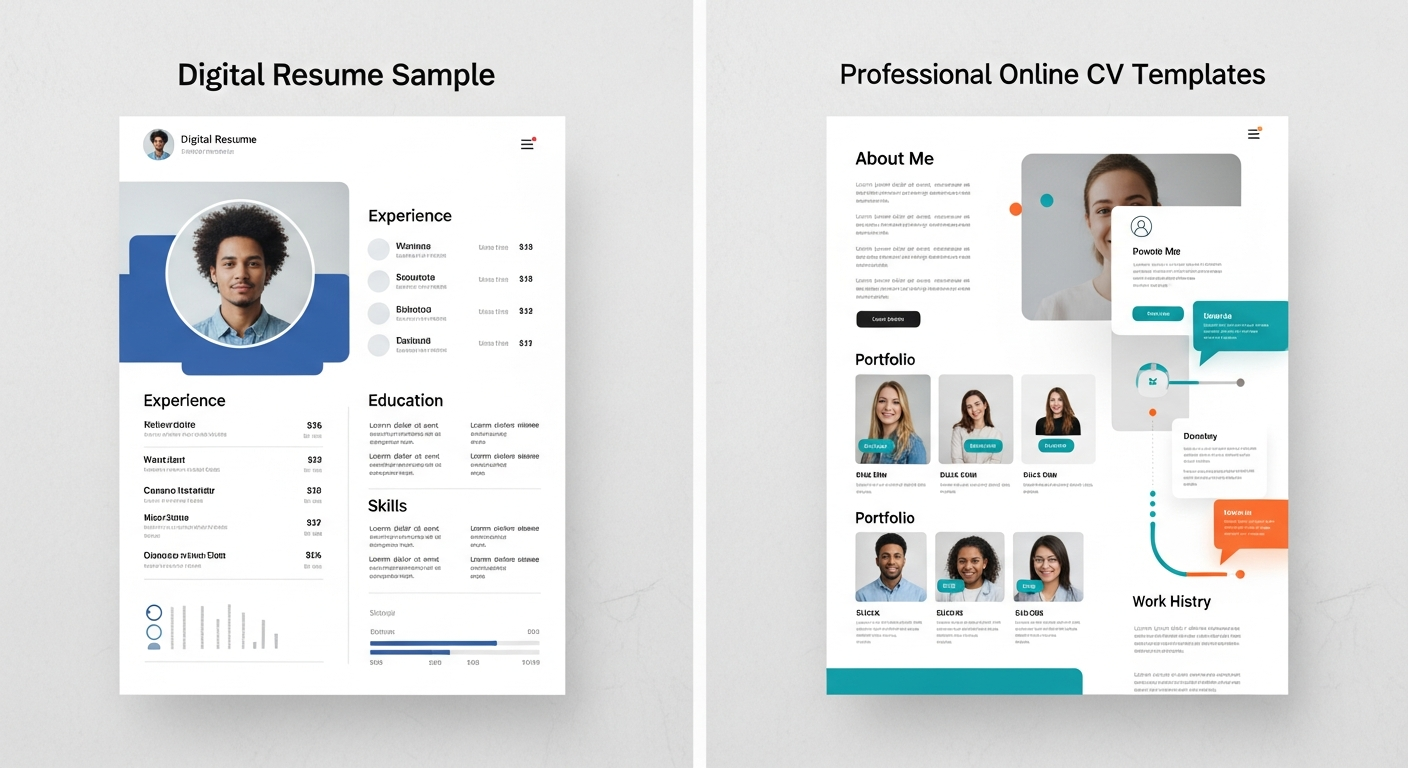
What Makes a Good Electronic Resume: Quick Checklist
Use this checklist as your editing guide. I refer to it whenever I revamp a resume.
- A profesional email address and links to LinkedIn or portfolio are showing at the top.
- Clear and scannable headings like Summary, Experience, Education, Skills.
- Brief one or two lines for each role with quantifiable results.
- Keywords from the job description included naturally.
- Consistent fonts and sizes. No tiny text. No over-styled elements.
- Export as PDF for sharing unless the employer requests plain text or Word.
- File name includes your name and role, for example
Jane-Doe-Product-Manager.pdf.
Structure: What to Put Where
Different resumes work for different people. But most successful electronic resumes follow a predictable structure. That helps recruiters find what they need fast.
Top section - Contact and Links
Start with your name, job title, city or remote, email, phone, LinkedIn, and portfolio link. If you have a GitHub, Behance, or personal site, add it. Keep this compact.
Pro tip: Don’t put your full address. City and state are enough. And use a professional email. Your college email is okay for early career applicants, but a clean personal email looks better for everyone.
Resume summary or headline
Two short lines will do. Think of it as your elevator pitch.
For example:Product designer with 4 years building B2B SaaS interfaces. Focus on usability and measurable improvements in conversion and retention.
That’s clearer than a long paragraph of buzzwords. Use metrics when you can. Numbers get attention.
Experience
List jobs in reverse chronological order. For each role, include:
- Job title and company name
- Location and dates
- 3 to 5 bullet points showing impact. Lead with a result, add how you did it.
A practical bullet point looks like this:
Increased lead conversion by 22 percent by redesigning the signup flow and A/B testing headline copy.
Short. Specific. Measurable.
Education
List the degrees, majors, dates of graduation, and honors received. If the graduate is a recent one, it is recommended to put relevant coursework, projects, and GPA (if it is impressive).
For the case of certifications, mention the certificate name, the institution that gave it, and the year. Do not take this section to a large number of irrelevant courses.
Skills and tools
Instead of just writing "design", indicate the tools: Figma, Sketch, Adobe XD. In the same way, for developers, mention the languages and frameworks: JavaScript, React, Node.js. It is a good way for both the ATS and the hiring manager. From my experience, a concise and clear skills section is more powerful than a lengthy and ambiguous one..
Projects
Great position for the students, freelancers, and remote workers. Insert 2 or 3 appropriate projects with short descriptions and the links.
Electronic Resume Design Tips
Good electronic resume design balances style and function. You want to stand out, not confuse the reader.
- Choose fonts that are readable like Arial, Helvetica, or Georgia. The font size for the resume's main text should be 10 to 12 points, and for the headings, it should be 14 to 18 points.
- Colors must be restricted to an accent color plus black and gray. The use of too many colors gives a resume an unprofessional look.
- Always keep the margins of your resume generous. A resume that is packed with information gives the reader the impression that it is difficult to read.
- Bolder and bullets should be used for scannability. Heavy italics and underlines should be avoided. If you are not in a creative or a location-specific role that requires it, then do not use photos.
- One mistake that I very often come across is: designers making multi-column resumes which do not work when they are converted to PDF. When you are editing, make sure to check the exported PDF to see if everything is still aligned.
ATS Friendly Electronic Resumes
Applicant tracking systems are on the lookout for keywords and proper formatting in resumes. In case your resume confuses the software, it is possible that it will never be seen by a human.
Work on your resume to be ATS friendly:
Refrain from the use of images, intricate tables, or embedding your text within an image. Divide your details into bullet points rather than writing long paragraphs. Incorporate the terms from the job description, however, do it in a conversational manner and not too often. If it is allowed, please your work as a PDF first and then upload it. In case a portal requires plain text, prepare a version with the most basic formatting and paste it there.
Pro tip: LinkedIn is a perfect platform for job application submission. Ensure that your LinkedIn profile is aligned with your online resume. Both are usually checked by recruiters.
File Formats and Naming
PDF is usually best. It preserves layout and looks professional. But sometimes employers want Word or plain text. Read instructions carefully.
Keep file names professional and informative. For example:
Sam-Wong-Data-Analyst.pdfAisha-Khan-UX-Designer-Resume.pdf
That small detail can save a recruiter time and shows you pay attention.
Where to Find Good Online Resume Examples and Templates
Not all templates are equal. Some prioritize design, others prioritize ATS compatibility. Here are places I recommend starting.
- Reputable digital resume builders - Many offer modern electronic resume templates and a built-in editor. They usually export clean PDFs when they want to email or upload.
- Portfolio sites - In case you want to present work samples, make a straightforward personal site and connect it from your resume.
- University career centers - They frequently provide resume samples oriented to newly graduates and different industries templates.
- Professional blogs and industry forums - You will discover annotated examples and critics that help you to understand what to include and that to omit.
- If you are picking between templates, then check out examples for your profession. Pick a couple of them, and then decide which one brings out your most significant achievements the best.
Using a Digital Resume Builder: Quick Guide
Digital resume builders can speed things up. They offer templates, keyword suggestions, and export options. But they require your input to be useful.
Here’s how to get the most value from a builder:
- Pick a template that matches your field. Choose a clean, simple layout for corporate roles and a slightly bolder one for creative roles.
- Write your content in a text editor first. Focus on concise bullets and measurable results.
- Copy content into the template and tweak spacing, fonts, and section ordering.
- Run a spell check and preview the PDF. Open the PDF on mobile and desktop.
- Export multiple versions for different applications. A short version for quick applications and a detailed one for specialized roles.
One common pitfall: relying on auto-filled sections that add fluff. Review every line and personalize it to the job.
Examples: Short Electronic Resume Snippets
Below are simple examples you can adapt. Keep them short and measurable.
Example for a Recent Graduate
Marketing Marketing intern, Local Startup
-Responsible for social media content and Instagram engagement was increased by 35 percent in three months.
Capstone project
Head of a team of four members to create a go-to-market project which resulted in a partnership with a local retailer.
Skills
- Google Analytics, Mailchimp, Excel, Content Strategy.
Example for an Experienced Professional - Software Engineer
Senior Software Engineer, Acme Corp
- By API calls optimization and lazy loading of the assets, I reduced the page load time by 40 percent.
- Migrated the old codebase from Ruby to Node.js, thus the deployment speed and maintainability were improved.
Skills
- JavaScript, React, Node.js, Docker, AWS.
Example for a Freelancer - UX Designer - Designed and tested user flows for three small SaaS startups. Trial-to-paid conversions were increased by 18 percent on average.
- Created design systems and reusable components to shorten development cycles.
Skills
- Figma, User Research, Prototyping, Accessibility.
These examples are quite brief on purpose. When you put together your resume, make each of your bullet points a little longer and explain the way you accomplished the results.
Common Resume Mistakes and How to Fix Them
Everyone makes mistakes. The good news is most of them are easy to fix.
Too generic
Problem: Your resume reads like 100 others. Fix: Tailor your resume to the job. Pull keywords from the job description and show relevant achievements. Even a small tweak can improve your match percentage in ATS.
Vague results
Problem: Bullets without numbers. Fix: Add metrics. Even estimates help. Instead of "improved engagement", write "improved engagement by 15 percent in six weeks".
Poor formatting
Problem: Inconsistent fonts, odd spacing, or broken PDF layout. Fix: Use a simple template and preview on multiple devices. Export as PDF and open it on your phone and computer before sending.
Keyword stuffing
Problem: You repeat keywords unnaturally. Fix: Integrate relevant keywords in natural language. Use variations and context so a human reader doesn't cringe.
Too long or too short
Problem: A resume that is five pages or just one sparse page. Fix: Aim for one page if you have less than 10 years of experience. Go to two pages when you have substantial, relevant experience. Cut anything older than 10-15 years unless it's highly relevant.
Portfolio and Online Presence
For many roles, a resume is only part of the story. A portfolio or online CV can show real work and depth.
- Designers and product folks should link to case studies that show process, not just final images.
- Developers should link to GitHub or deployed apps with short notes about what they built.
- Writers should link to published pieces or a blog with samples.
Don't have a portfolio? Create a simple personal site with 2 to 3 strong examples and short descriptions. You can use free builders and a clean template. It's worth the time.
Customizing Resumes for Remote Work or Freelance Gigs
Different signals are often required by remote roles and freelance jobs. Some of the qualities that an employer would check for in a candidate are self-motivation, communication, and time management skills.
Make it clear that you know how to work on your own. Feel free to mention that you are comfortable using remote working tools such as Slack, Zoom, Trello, and Asana. Point out freelance projects or contract work where you have achieved measurable results.
Note time zones you can overlap with and your setup if relevant.
I’ve worked with candidates who explicitly added "experienced working asynchronously" and saw better responses for remote roles. Small things like that help.
Tailoring for Different Industries
Different fields expect different things. Match the tone and format accordingly.
- Finance and consulting: Clean, conservative layout. Focus on results and quantitative impact.
- Tech and startups: Modern layout is fine. Show projects, code, and metrics.
- Creative industries: Visual resume or portfolio is more acceptable. Still keep content clear and measurable.
Think of yourself: What would managers who hire people in this field be most interested in? After that, demonstrate it in the very beginning of your resume.
Interview Preparation: The Resume You Have Is Your Visual Aid .
It is expected from your resume to bring material for your interviews. Every single bullet point has to be indicating a brief tale which you are able to relate in 30-90 seconds.
Practice explaining two things for each job:
- The challenge you faced
- The actions you took and the measurable outcome
These stories make interviews easier. And they make your resume feel authentic when you explain it naturally.
Quick Editing Checklist Before You Hit Send
- One clear headline or summary at the top
- Contact links are correct and working
- Bullets start with action verbs and include metrics
- Spacing and fonts are consistent in the PDF
- File name is professional
- One tailored version for the job you're applying to
Do this quick check every time. It takes five minutes and prevents avoidable mistakes.
Real-World Example: From Generic to Focused
Here’s a short before-and-after that shows how small edits help.
Before:
Marketing intern - handled social media. Posted content and engaged with followers.
After:
Marketing intern - Managed social content calendar and executed campaigns that increased Instagram follower growth by 35 percent in three months. Launched weekly newsletter with 22 percent open rate, leading to a 10 percent boost in site traffic.
See the difference? The after version shows scale, impact, and gives the interviewer something to ask about.
Cost Considerations: Paid Templates and Free Options
Paid templates and premium digital resume builders can speed things up and offer neat features like analytics and multiple exports. Free templates, when used well, are also fine.
My advice: If you’re job hunting seriously, consider spending a small amount on a quality template or a few months of a resume builder. The time saved and the professional result often pay off. But don’t buy something you won’t edit and customize.
Final Thoughts and Next Steps
Electronic resumes are a practical mix of content and design. Focus first on clear, achievement-oriented content. Then use a modern electronic resume template to present that information cleanly. Test your PDF, tailor to each job, and use a portfolio link where relevant.
If you're unsure which template or layout works best for your career stage, try two versions and compare response rates. Small experiments tell you more than guesses.
Want a quick review? I’ve helped students and professionals tighten resumes and pick templates that work for their fields. It’s often a few wording tweaks that make the difference.
Read more :Biodata Builder That Transforms Your Story into Opportunities | Create Free Online
Helpful Links & Next Steps
Want hands-on help? Book a meeting and we can review your resume, suggest modern digital resume templates, and set up an ATS-friendly version you can use for applications.
FAQs
1. What exactly is an electronic resume?
An electronic resume is a digital version of your resume that you can create, edit, and share online. It’s easy to update, works well with online job portals, and looks more modern than traditional paper resumes.
2. Are digital resume templates really helpful?
Yes! Digital resume templates save you time and give your resume a clean, professional look. You don’t need design skills—just fill in your details, and your resume is ready to download or share.
3. Which format should I use for an electronic resume?
PDF is the safest choice because it keeps your layout intact on all devices. Some job portals may ask for Word files, but PDF is best when you want the resume to look polished.
4. Can I use the same digital resume for all job applications?
You can, but it’s better if you customize it. Small changes—like tweaking skills or rewriting your summary—can make your resume more relevant and help you stand out in each application.