Student portfolio examples that make your work feel professional
Short summary
As a student, a freshly graduated, or a creative who is at the beginning of their career, your portfolio is your first impression. It tells the world who you are and what you are capable of doing. However, a lot of student portfolios are just a rundown of projects with no explanation. They show raw work but not skill. I’ve seen this a lot in portfolio reviews. A great portfolio doesn’t just display projects. It tells a story, shows decisions, and makes your work feel professional.
This guide walks you through clear, practical examples and simple templates you can use today. I’ll cover portfolio ideas for students across design, development, writing, photography, and product. You’ll find layout suggestions, common mistakes to avoid, and small ways to level up your presentation that recruiters and clients notice. I'm speaking from reviewing dozens of student portfolio websites and helping people turn campus projects into professional showcases.
Why a professional student portfolio matters
Consider when you last looked through a portfolio. You most likely just quickly saw the pictures and then made a decision whether to dive deeper into it. The same thing is done by hiring managers. They are pressed for time, and therefore, it is crucial that you make each of your seconds effective.
A professional student portfolio does three things well:
- It establishes credibility. Clean layout, clear process, and good visuals make you look competent.
- It explains impact. Employers want to know what you did and why it mattered.
- It makes next steps obvious. Contact info, downloadable resume, and a clear call to action help move things forward.
In my experience, students who shift from “look at my work” to “here’s what I solved” get more interviews. It's a small wording change with big results.
Key pages every professional student portfolio should have
Keep it simple. Don't overbuild. These pages tell the story in a way recruiters expect.
- Home - One-liner about what you do, a standout project or hero image, and clear navigation.
- About - Short bio, skills, education, and a friendly photo. Add one quick line about career goals.
- Projects/Work - The heart of your portfolio. Show 3 to 8 strong projects with case studies.
- Resume - Downloadable PDF and a condensed web version for quick scanning.
- Contact - Email, LinkedIn, GitHub, Behance, or a contact form. Make it easy to reach you.
Bonus: a blog or process notes page helps with SEO and shows you can communicate ideas. I’ve found that even short, honest posts boost visibility for “student portfolio” searches.
How to structure project case studies
Case studies are where you show how your brain works. They should be short, focused, and scannable. Aim for clarity over cleverness.
Use this simple structure for each project:
- Project title and one-sentence summary
- Role and timeline
- Problem - What were you trying to solve?
- Approach - Steps you took and tools you used
- Outcome - Results, learnings, and visuals
Short example:
Campus food app I led UX research on a prototype that reduced ordering time by 25 percent in test runs. Role: UX designer. Tools: Figma, Maze. Problem: Long queues. Approach: Interviews, rapid prototyping, usability testing. Outcome: Iterated prototype and a recommended rollout plan.
Include screenshots, sketches, and one simple metric if you have it. Numbers help, but if you don’t have metrics, describe the user benefit clearly. Saying "made it faster" is weaker than "reduced steps from 6 taps to 3 taps."
Portfolio design tips that make work look professional
Presentation matters. You don't need fancy effects. Clean choices work best. Here are practical design tips that I use when coaching students.
- Whitespace is your friend. Give work room to breathe. Crowded pages look amateur.
- Consistent typography. Pick two fonts max - one for headings, one for body. Keep sizes predictable.
- Limit colors. Use a neutral base and one accent color. It keeps the focus on your work.
- Use clear headings. H1, H2, H3 make scanning easier. Recruiters scan first, read later.
- Mobile first. Many recruiters open portfolios on phones. Test on mobile and fix common breakpoints.
Small detail: optimise images for the web. Large uncompressed files slow load time and frustrate readers. I recommend exporting images at 72 DPI and compressing them with a tool like TinyPNG or Squoosh.
Content tips - how to write like a pro without sounding fake
Words matter. You can be smart and human at the same time. Try these writing moves:
- Speak in plain terms. Avoid heavy jargon. Call a feature by its function not a buzzword.
- Use first person for ownership. Say "I led" or "I designed" when you did the work.
- Be specific. Replace vague phrases like "worked on" with clear actions like "developed, designed, tested."
- Show process, not just polish. People want to know how you solve problems.
One tip I always give: write for a busy reader. If someone can scan your page in 10 seconds and get the gist, you’ve won.
Online student portfolio tips - platforms and SEO
You have options. Pick a platform that fits your skill level and goals. Here’s a quick list:
- GitHub Pages - Great for developers. Free and version-controlled.
- Webflow or Squarespace, Great for a designer, friendly experience with visual control.
- WordPress, Versatile and excellent for blogging and SEO.
- Behance, Dribbble, Can be helpful for getting noticed by designers but use them as add, ons rather than substitutes. To increase the chances of getting found, your student portfolio site should have keywords such as "student portfolio examples, " "student portfolio website, " and "portfolio design for students.
- Incorporate them organically in your project titles, meta descriptions, and headings.
Don't stuff keywords. A few well-placed phrases help search engines understand what you offer.
Examples by discipline - simple and actionable
Below are practical student portfolio examples designed to help you model your own. Keep the examples simple and human. They’re built for students and early-career pros who want their work to feel professional.
1. Designer (graphic or visual)
Focus: visuals, concept clarity, and deliverables like brand guidelines or mockups.
- Include a hero image of the final design or a mockup on a phone, poster, or packaging.
- Show before and after where possible. It tells a quick story.
- Include downloadable PDFs for brand guidelines or one-pagers.
Case study outline:
- Project title: "Campus Event Brand Identity"
- Role: Lead designer
- Problem: Low event turnout for student fairs
- Approach: Visual audit, mood board, logo iterations, signage mockups
- Outcome: New identity rolled out across posters, social, and email - estimated 30 percent increase in signups based on early feedback
Simple visual tip: use a clean mockup to show how the logo works on a t-shirt or flyer. Recruiters like to see applied design, not just floating logos.
2. UX/UI or Product Designer
Focus: problem solving, research, and wireframes. Your case study should emphasize process as much as polish.
- Start with a problem statement and user personal.
- Show your sketches, wireframes, and a final prototype link (Figma or InVision).
- Include usability testing results or quotes from users.
Case study outline:
- Project title: "Study Buddy App"
- Role: UX designer, 6 weeks
- Problem: Students struggled to find group study partners
- Approach: 8 user interviews, paper prototypes, high-fidelity prototype, two rounds of usability tests
- Outcome: Prototype scored 4.2 on usability and reduced task time by 40 percent in tests
Don’t be shy about showing low-fidelity work. Hiring managers want to see how you iterate. I’ve noticed many students only include final screens and miss the chance to show thinking.
3. Developer or Software Engineer
Focus: functionality, code samples, and deployment. Live demos win over screenshots.
- Include links to live projects and GitHub repositories.
- Add a short README with setup instructions and a highlight of what you built.
- Show architecture diagrams for larger projects if possible.
Case study outline:
- Project title: "Meal Planner App"
- Stack: React, Node.js, MongoDB
- Problem: Students needed a quick way to plan low-cost meals
- Approach: Built MVP, added authentication, deployed with Heroku
- Outcome: Live demo link, GitHub link, and a screenshot of passing tests
Pro tip: include short videos or GIFs of functionality. They’re faster to digest than code blocks for recruiters who just want to see the product in action.
4. Writer, Content Creator, or Editor
Focus: range of voice, editing skills, and measurable engagement where possible.
- Show 6 to 10 writing samples. Mix short form and long form.
- Include headlines, social captions, and a published piece with a byline.
- Add a short note about each piece: audience, brief, and result.
Case study outline:
- Project title: "Student Newsletter Series"
- Role: Writer and editor
- Problem: Low open rates for a campus newsletter
- Approach: New headline formula, clearer sections, A/B testing
- Outcome: Open rates increased by 18 percent over three issues
One mistake I see is including too many drafts. Only add your best stuff and show clear context for each piece.
5. photographer or videographer
Focus: composition, consistency, and how you direct a shoot.
- Curate 15 to 25 of your best images or video clips.
- Group work by theme - portraits, events, product shots.
- Include a short note on technique and equipment for each series.
Case study outline:
- Project title: "Campus Portrait Series"
- Role: Photographer
- Problem: Convey diverse student voices for a campus campaign
- Approach: Natural light, one-hour shoot sessions, minimal retouching
- Outcome: Images used on campus website and social with credit
Keep galleries lightweight. Use lazy loading and optimize images. Nobody wants to wait for a dozen 5MB photos to load.
How to present student work as professional - small changes that help
Here are simple moves that change perception from "student project" to "real work."
- Provide context - Who was the audience and what constraints did you have?
- Show deliverables - prototypes, mockups, test plans, or the final product.
- Polish one presentation image - a strong hero image signals care.
- Include client or professor quotes when possible. They add credibility.
One common pitfall is showing unfinished items without a note. If something was a class prototype, say so. Explain what you would do next. That honesty reads as maturity.
Accessibility and ethics - don’t skip these
Accessibility is no longer optional. Small accessibility wins make a big difference and show conscientiousness.
- Use semantic HTML and meaningful link text.
- Provide alt text for images and transcripts for videos.
- Check color contrast for text and buttons.
Ethics matters too. If you used stock photos or templates, say it. If a project included other contributors, credit them. This shows professional integrity and avoids awkward calls later.
Common mistakes and how to fix them
These are the issues I see most often and simple fixes you can apply right away.
- Too many projects - Quality beats quantity. Pick 3 to 8 strong projects and remove the rest.
- No context - Add a one-line summary and a short problem statement for every project.
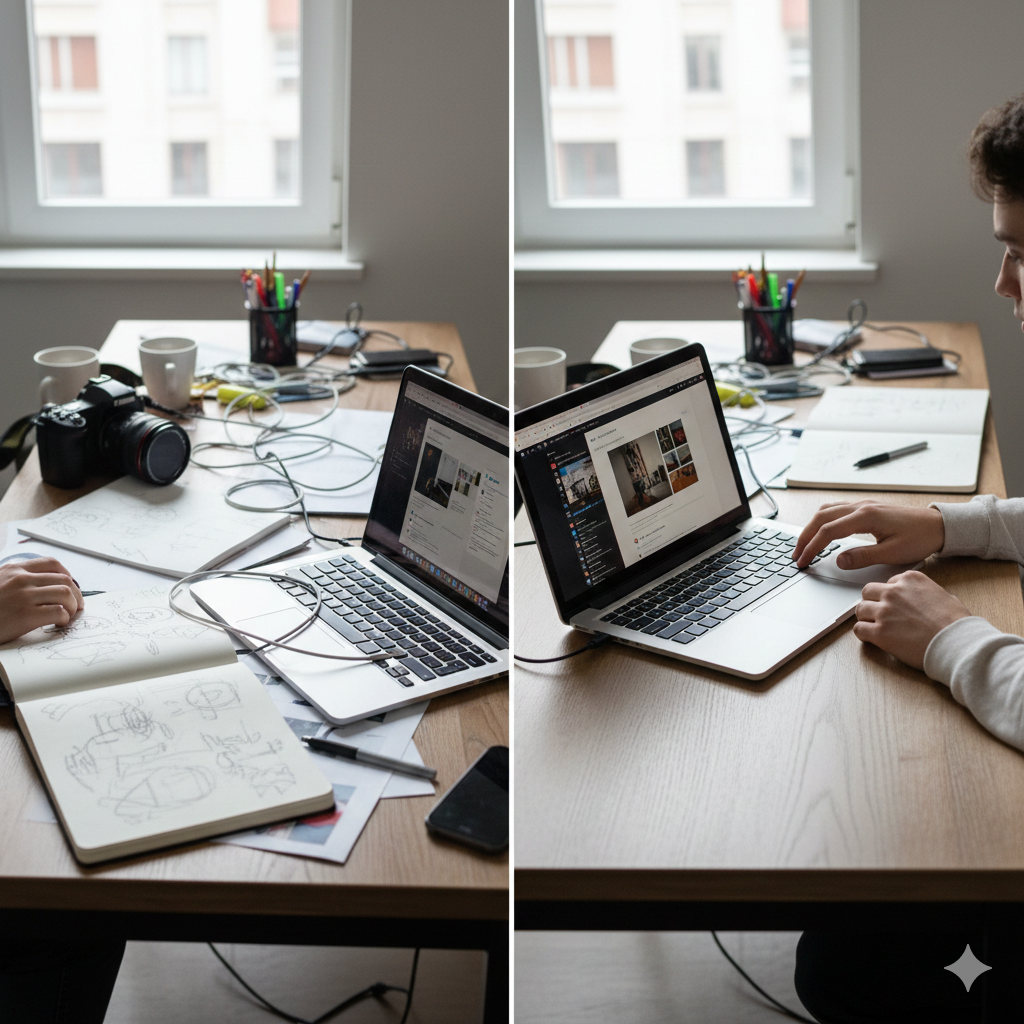
- Only polished screens - Include process work like sketches and tests. It shows thinking.
- Slow loading - Compress media and test load times.
- No clear next step - Add an obvious contact method or a Book a meeting button.
Fix these and you'll immediately look more professional. I recommend running your site through a quick checklist before sending it to hiring managers.
Checklist before you hit publish
Use this quick pre-launch checklist:
- All projects have a title, role, problem, approach, and outcome
- Images compressed and responsive
- Mobile tested
- Resume PDF linked and downloadable
- Contact info is visible on every page
- SEO basics set - titles and meta descriptions include student portfolio keywords
One small trick: ask a classmate or mentor to review your portfolio for 15 minutes. They will catch things you missed. Fresh eyes help more than hours of tweaking alone.
Quick templates and layout ideas you can copy
Below are three simple layout templates to adapt. They’re written so you can implement them on most platforms.
Minimal case study layout
- Hero image across top
- Two-column section: left for problem and role, right for outcomes and metrics
- Full-width gallery with captions
- Footer with links to next project and contact
Process-first layout
- Intro and problem statement
- Timeline visual
- Step-by-step sections: research, sketches, prototypes, testing, final
- Short reflection and learnings
Portfolio grid (for a quick homepage)
- Grid of 6 to 9 projects with hover snippet
- One highlight project pinned to the top
- Footer with resume download and contact CTA
All three work well. Pick one and stick with it. Consistency matters more than being flashy.
How to write case studies when you don’t have metrics
Not every class project gives you hard numbers. You can still make a strong case study by focusing on qualitative evidence.
- Include user quotes from interviews or testing.
- Describe what you measured - time on task, subjective satisfaction, or comparison to old workflows.
- Show process artifacts like test scripts, user flows, or annotated screenshots.
For example, instead of saying "increased engagement," say "users reported the new onboarding made it clearer how to get started, based on 7 user interviews." That reads honestly and professionally.
Small portfolio SEO checklist
Want your portfolio found by recruiters searching for student talent? These small steps help:
- Write unique page titles for each project page and include a keyword like student portfolio examples or online student portfolio.
- Use descriptive headings that include phrases like portfolio design for students and college student portfolio when natural.
- Add alt text to images that describe the content and include a keyword when relevant.
- Publish a few short blog posts about your process or student projects to target long tail searches.
Don’t overdo it. Aim for natural, helpful content that answers questions people actually search for.
How to handle team projects and collaborations
Group work can be tricky. Employers want to know what you did. Be clear.
- State your role and contributions up front.
- Detail specific tasks you owned like "ran usability tests" or "built the authentication module."
- Include a short note on team size and collaboration tools used.
If you led the project, say so. If you were one contributor among many, explain what the final deliverables were and your direct impact. Honesty here goes a long way.
What to do after you publish
Your work isn’t finished when the site goes live. Get it in front of people.
- Share on LinkedIn with a short write up about what you learned.
- Send personal notes to mentors, professors, or peers asking for feedback.
- Post to designer or developer communities with a clear question if you want critique.
One tip I use: update projects regularly with notes about what you would change. That shows growth and keeps your portfolio fresh for search engines.
Examples to copy right now
If you want a quick start, try one of these simple projects that look professional even as student work:
- Redesign a campus club website. Show old vs new and include a small analytics test.
- Build a simple React app that solves a pain you have. Deploy it and link the code.
- Create a brand identity for a fictional startup and produce a one-page brand guide.
- Document a short photo series with captions, equipment, and shooting notes.
These projects are approachable, and they teach useful skills. Plus, they show applied thinking rather than just class assignments.
Final thoughts make it distinctly yours
Your portfolio should reflect you. Keep the structure professional and the tone personal. Recruiters want to hire people, not templates. Show your voice, your process, and your best work. Be honest about what you did and what you learned. That authenticity makes your portfolio stand out.
If you’re feeling stuck, start by choosing three projects and writing one-paragraph case studies for each. Do that first. Everything else flows from there.
Helpful Links & Next Steps
If you want hands-on feedback or someone to look at your portfolio with you, I’m happy to help. Book a meeting and we can go through your projects together and make them feel professional in a few focused steps.
Faqs
1. What is a student portfolio?
A student portfolio is a collection of your work that showcases your skills, projects, and achievements in a professional format.
2. Why do students need a professional portfolio?
A professional portfolio helps students stand out to employers, colleges, and clients by showing real work instead of just qualifications.
3. What should be included in a student portfolio?
A student portfolio should include an introduction, best projects, skills, tools used, certifications, and contact information.