B2B Lead Generation Tools to Capture High-Intent Website Visitors
This blog explains how B2B website visitor identification tools let marketing and sales convert anonymous traffic into qualified accounts. It argues that traditional forms and gated content miss most visitors, and that identification tools using IP/DNS, cookies, enrichment, technographics, and behavioral signals surface companies visiting pricing, integrations, and docs in real time. The post outlines what features to prioritize, common implementation mistakes, a simple Whoozit-based playbook, outreach templates, privacy considerations, integration tips, and metrics to track. Its purpose is practical: recommend a focused pilot and process so teams can capture high‑intent visitors and turn them into a measurable pipeline for fast, repeatable results today.
If you run marketing or demand generation for a B2B company, you have probably felt the frustration. Your website gets traffic. A lot of it. Yet only a small fraction turns into leads. I have noticed this pattern across SaaS companies and agencies. Many visitors never fill out forms, and you never know who they were. That is where B2B website visitor identification tools like Whoozit come in.
In this post, I will explain why traditional forms and gated content miss most visitors. I will also show how tools to identify anonymous website visitors work and why they are essential for catching high intent signals. I will explain what to look for in B2B website visitor tracking tools, share common mistakes I have seen teams make, and outline a simple playbook you can use right away with Whoozit to convert anonymous traffic into booked demos and pipeline.
Why traditional forms miss most website visitors
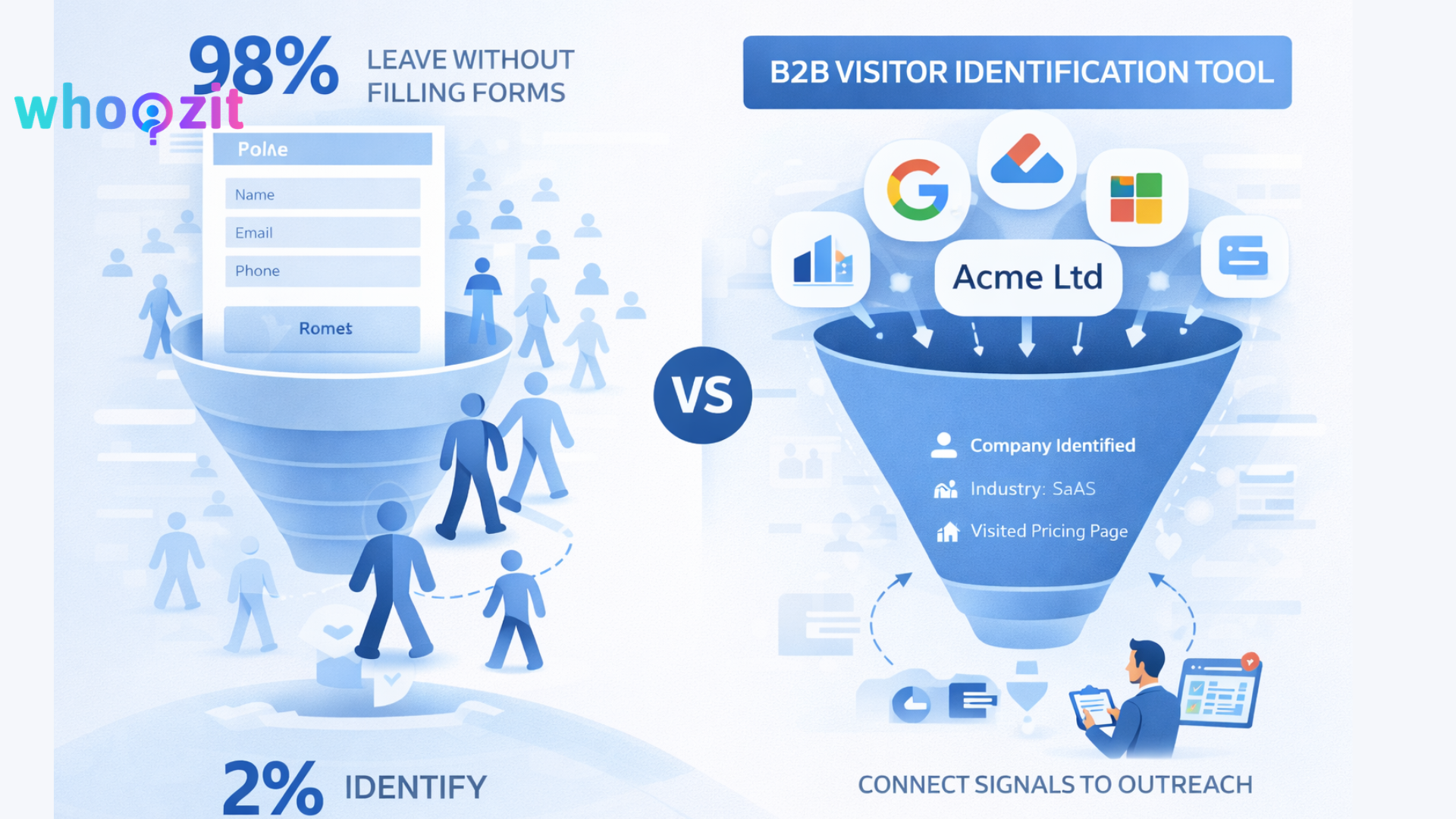
Forms still have a place. But they are a blunt instrument for the modern buyer. A few reasons they miss visitors:
-
Friction and time are real. People do not want to fill out long forms, especially on mobile. If a pricing page requires a complex form, many will bounce instead of converting.
-
Buyers are researching anonymously. Decision makers often browse with curiosity, visit competitive pages, or look for documentation without committing to a form fill.
-
Gating content reduces reach. When you gate product details or case studies behind forms, you push away some high intent visitors who want quick answers.
-
Forms only capture the people who raise their hands. But a company visit may include multiple key stakeholders. Forms miss the rest of the buying committee.
-
Privacy and security concerns. Some users avoid giving company data because they do not trust the site, or they are wary of spam.
Put simply, most visitors leave without identifying themselves. That does not mean they are not potential customers. It just means you need better tools to spot the intent and the company behind the visit.
What are website visitor identification tools, and how do they work
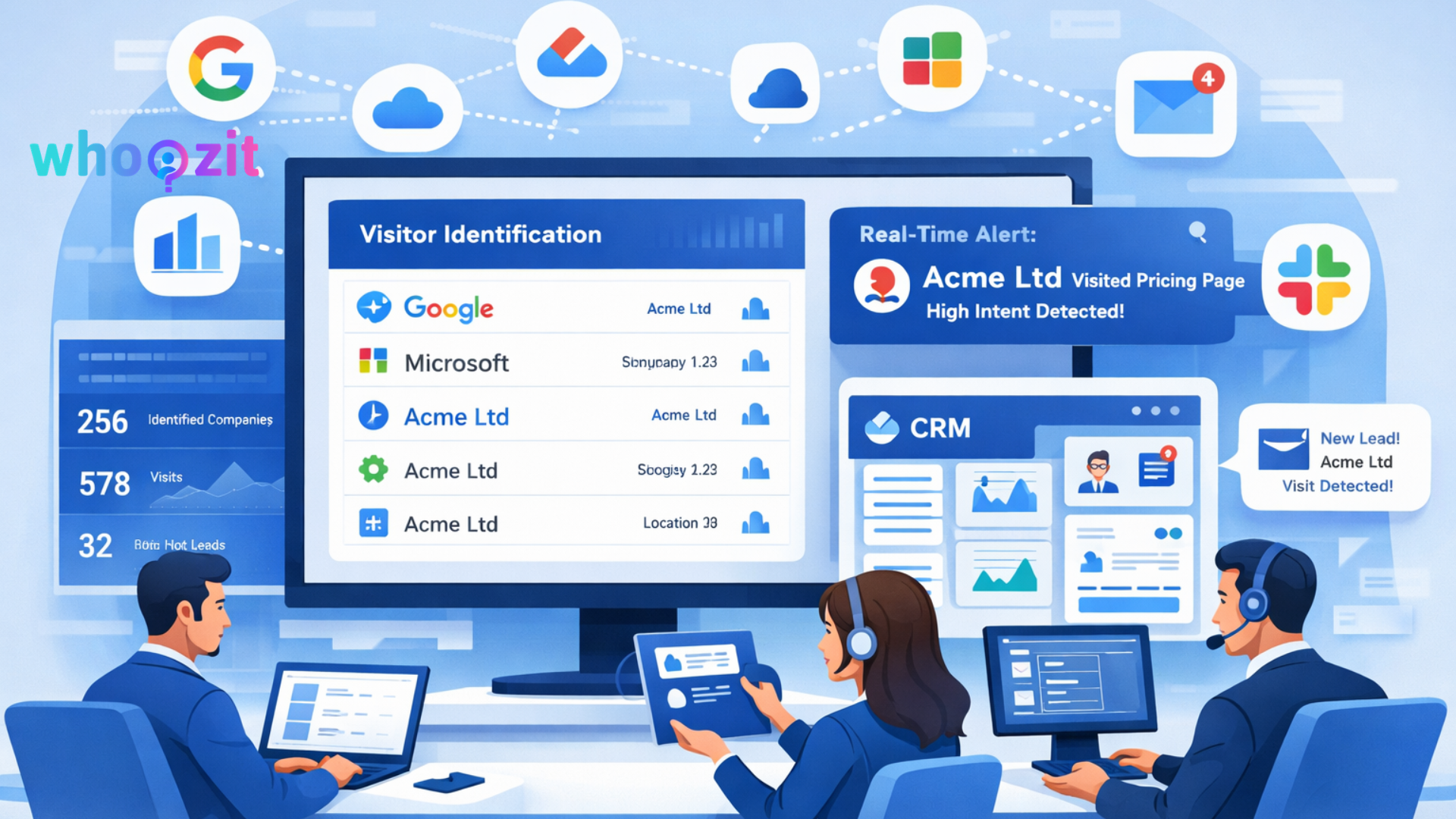
When I first started using these tools, I felt like I was getting an extra pair of eyes on traffic. Website visitor identification tools let you see which companies are visiting your site, even when no one fills out a form. They work by combining several signals and data sources to match traffic to companies. Here are the core elements.
-
IP address and reverse DNS lookup. The simplest method maps visitor IP addresses to company networks. This is especially reliable for visitors on corporate networks.
-
Network and hosting fingerprints. The tools identify ranges used by cloud providers, proxies, or corporate data centers and filter them out or mark them differently.
-
First party data and cookies. If a known visitor returns or has interacted previously, the tool can tie sessions together for better accuracy.
-
Enrichment databases. The raw company match is enriched with firmographic details like company name, industry, size, and headquarters location. Some tools add technographic data showing which tools or stacks the company uses.
-
Behavioral signals. Page visits, session depth, time on page, pathing between pages, and repeat visits all point to intent. Visiting pricing, integrations, and case studies usually signals higher intent.
-
Real time alerts and integrations. The best tools push identified company info to your CRM, or sales stack the moment a high intent visit happens, so your SDRs can act quickly.
Combine these signals, and you get a list of companies that visited your site, what they looked at, and how likely they are to be ready to talk. Tools to identify anonymous website visitors take care of the heavy lifting so your team can focus on outreach.
Why catching high intent visitors matters
Let us be practical. Which visitors do you want to prioritize? Likely the ones who look at pricing, integrations, product pages, and case studies. These pages show buying intent. If you capture the company and match it to an account in your target list, your outreach becomes relevant and timely. Many B2B teams are now using visitor identification strategies explained in the Whoozit blog to turn anonymous traffic into qualified leads.
Some reasons this matters:
-
Shorter sales cycles. When SDRs reach out to a company that just viewed pricing or feature pages, the conversation starts much further down the buyer journey.
-
Better conversion rates. Cold outreach has low reply rates. Outreach tied to a recent relevant visit gets higher replies and higher meeting conversion.
-
Higher pipeline efficiency. You spend sales effort on accounts showing intent rather than broad lists of unengaged prospects.
Key features to look for in B2B website visitor tracking tools
Picking a tool can feel overwhelming. Here is a practical checklist. I recommend prioritizing the items that match your stack and process.
-
Accuracy of company identification. False positives waste SDR time. Check how the vendor handles shared IPs, cloud traffic, and small office networks.
-
Real time notifications. The faster your team knows about a high intent visit, the better. Real time alerts let SDRs reach out while the interest is fresh.
-
Enrichment depth. You want more than a company name. Industry, employee count, VIP contacts, and technographics help tailor outreach.
-
Flexible filters and scoring. Set rules to ignore vendors, universities, or ISPs. Score intent based on pages visited and frequency.
-
CRM and messaging integrations. Push identified companies and activities into Salesforce, HubSpot, or your outreach tools so follow up fits into your workflow.
-
Compliance and privacy. Make sure the tool supports GDPR, CCPA, and other privacy requirements. Data residency and handling matter.
-
False positive handling and transparency. Good vendors show confidence levels, match reasons, and let you tune thresholds.
-
Easy installation and low site performance impact. A small script or tag should be enough. You do not want heavy code that slows the site.
Think of these features as part of a checklist that connects the tool to revenue. The tool alone is not the solution. You need the right process around it.
How tools capture high intent visitors in practice
Seeing it in theory is fine. Seeing it in action is better. Here are common signals and how to use them to find high intent visitors.
-
Page based signals. Prioritize companies that visit pricing, demos, case studies, and features. These pages are classic intent pages.
-
Session depth and path. A visitor who reads documentation and then the API or integration page is often evaluating for purchase or trial.
-
Repeat visits. One visit can be a curiosity. Multiple visits over a few days or weeks suggest an active evaluation.
-
Traffic source. Organic visitors and paid campaign clicks differ. Look at the referrer to understand context. A paid campaign that brings repeat visits could be a marketing success that needs SDR follow up.
-
Technographic interest. If a company views your product pages for a particular integration, they likely use the complementary tool and may be ready to switch or integrate.
In my experience, combining page signals with firmographic filters produces the best leads. For example, if a visitor from a 500 person software company views pricing and the integration page twice, that is a strong lead for a mid market account executive.
Common mistakes teams make when using visitor identification tools
I have seen teams buy the tool and then expect immediate miracles. That does not work. Here are common pitfalls and how to avoid them.
-
Not defining what high intent means. Every business has different signals. Define pages and behaviors that matter for your product and line them up in the tool.
-
Poor integration with sales workflow. If identified companies end up as emails in an inbox, nothing happens. Connect the tool to your CRM and automation so SDRs get clear, actionable tasks.
-
Chasing quantity over quality. A long list of identified companies is useless if most are irrelevant. Use firmographic filters and scoring to prioritize.
-
Slow follow up. Interest decays fast. I have seen reply rates drop dramatically when outreach waits more than a day.
-
Ignoring accuracy issues. If your SDRs repeatedly call the wrong company because of a false match, they lose trust in the system. Regularly review match confidence and tune filters.
-
Overlooking privacy and legal checks. Make sure your use case complies with privacy rules. I recommend having legal and data privacy teams sign off before major rollouts.
Avoiding these mistakes will help you get value fast. The tool is only as effective as the process you wrap around it.
Why Whoozit is a good fit for converting anonymous traffic into sales opportunities
I want to be practical about solutions. Whoozit is designed for teams who want to convert website traffic into qualified leads without adding more friction for visitors. We built it to fit into real sales and marketing workflows.
Here is how Whoozit helps and what I see teams using it for.
-
Reliable company identification. Whoozit combines IP mapping, reverse DNS, and enrichment to identify the company behind sessions. It also flags uncertain matches so your team knows which ones need manual validation.
-
Intent scoring based on page visits. Whoozit scores visits with an emphasis on pricing, integrations, demos, and case studies so your SDRs can focus on the best opportunities.
-
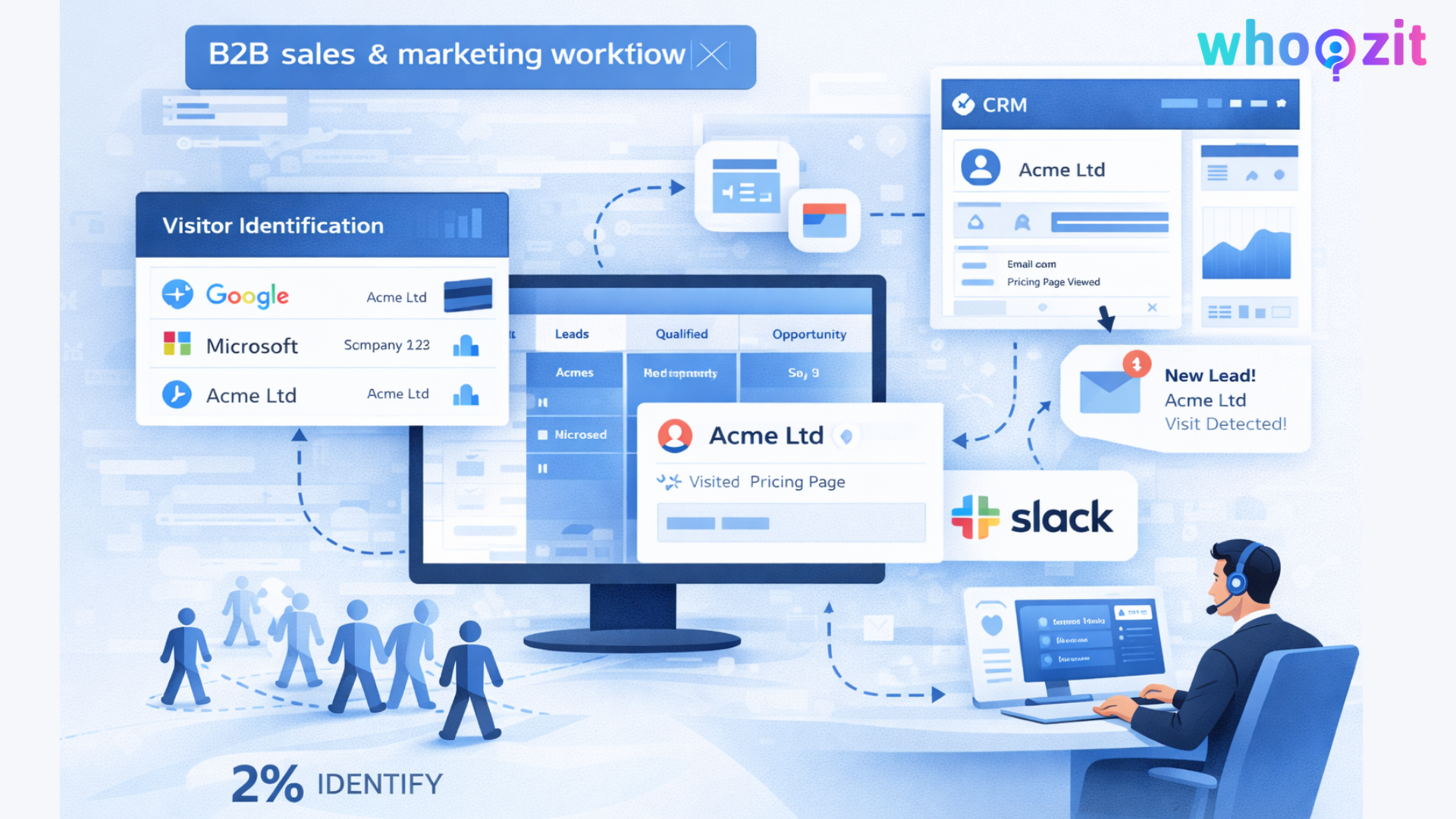
Real time alerts and CRM sync. When a high intent company visits, Whoozit can create a contact or activity in your CRM and send an alert to Slack or your outreach tool.
-
Flexible filters. You can exclude domains, filter by company size, industry, or geography, and set minimum confidence thresholds to reduce noise.
-
Enrichment and technographic data. Whoozit adds firmographics and common technologies the company uses, which helps tailor outreach and qualify quickly.
-
Privacy and compliance. The product supports standard privacy controls and works with legal teams to help you stay compliant with GDPR and other regional rules.
Whoozit is not a silver bullet. You still need a follow up plan. But it solves the hard part, which is surfacing the accounts that matter in a way your sales team can act on immediately.
A simple 5 step playbook to convert anonymous visitors using Whoozit
Here is a quick playbook I have seen work. It is simple, repeatable, and requires minimal tech setup.
-
Install the Whoozit script on your website. The tag is lightweight and usually takes a few minutes to add. Test it on a staging site first if you prefer.
-
Set your filters and intent pages. Mark pricing, demo, docs, and integrations as high intent. Set firmographic filters so you only get notifications for your target segments.
-
Connect Whoozit to CRM and Slack. Create a mapping that creates a company record and an activity or task for your SDR queue when high intent is detected.
-
Create a fast follow up template. Keep messages short. Lead with the intent signal. For example, mention the specific page the company viewed and offer a quick, no pressure call. Offer a calendar link for immediate booking.
-
Measure and iterate. Track response rate, demo booked rate, and pipeline attributed to Whoozit leads. Tune scoring and filters every two weeks based on what converts.
That is it. You are not trying to replace forms. You are giving your SDRs a better list of warm accounts to reach out to right when they are exploring your product.
Simple outreach scripts and examples
Good outreach is short and specific. Below are a couple of simple templates that work well. Use them as starting points and adapt for your product.
-
Email template example
Hi [Name],
I noticed someone from [Company] checked out our pricing and the [integration] page. If you are evaluating options, I can share a quick comparison and a short demo. Do you have 15 minutes this week?
Best,
[Your name]
-
LinkedIn message example
Hey [Name], I saw that [Company] looked at our pricing and case study for [industry]. If it helps, I can send a short deck or hop on a 10 minute call to show how customers like you solved [specific problem].
-
Slack or IM alert for SDRs
High intent: [Company] visited pricing and integrations. Headcount 250 to 1000. Create an SFDC task and call within 1 hour.
Small details matter. Mention the exact page visited and keep the ask low friction. In my experience, a direct offer to book a quick 15 minute demo with calendar availability gets the best responses.
Example scenario to make this concrete
Imagine you run growth for a mid market SaaS startup. Your site has 5,000 visits a month. Only 40 people fill out forms. You install Whoozit. Here is a simple result I have seen many teams replicate when they follow the playbook.
-
Whoozit identifies 250 companies that month as visitors. Of those, 40 match high intent rules because they visited pricing or case studies multiple times.
-
Your SDRs reach out to those 40 accounts within a few hours. You book 10 discovery calls. From those, you convert 3 to opportunities that month.
-
Those 3 deals turn into measurable pipeline and revenue that far outweigh the cost of the tool and the outreach time.
That is a simplified example. Real results depend on targeting, product fit, and follow up. But the point is clear. Capturing high intent visitors turns invisible interest into real conversations.
Privacy, compliance, and ethical considerations
This topic comes up a lot and for good reason. Tracking anonymous website visitors involves company data that may fall under privacy rules. Here are practical steps I have seen work.
-
Check GDPR and regional rules. Work with privacy or legal before you turn on enrichment that attaches personal data to sessions.
-
Use company level identification when possible. Many teams choose to avoid identifying individuals unless they opt in and instead focus on the company and behavior.
-
Document your data retention and deletion policies. Know how long match logs are kept and how to delete data if requested.
-
Be transparent in privacy pages. Mention that you use analytics and tools to improve product and outreach, without oversharing technical details.
Respect for privacy is also good business. No one wants to alienate a buyer with creepy outreach. Use the data to add value and timing, not to harass.
Integrations and tech stack tips
Visitor identification tools work best when they fit into your stack. Here are integration tips I recommend.
-
Push company records into CRM. Create a separate lead or activity type to track anonymous visitor outreach so you can measure the channel.
-
Sync to your outreach platform. When Whoozit finds high intent accounts, send them into your sales engagement tool with a tailored sequence.
-
Use Slack and email alerts for instant visibility. But avoid alert fatigue. Send only high intent or high confidence alerts to SDR channels.
-
Enrich contact lists. Use the company data to find likely contacts by role and match them with available public profiles. That helps personalize outreach.
My rule of thumb is to automate the repetitive parts and leave the human parts to the SDR. Use integrations to remove manual copying and to create a single source of truth for pipeline attribution.
Metrics to monitor and benchmark
How will you know if this is working? Track the right metrics from day one. Here are the key ones I recommend.
-
Number of identified companies per month. This shows coverage.
-
High intent identified companies per month. These are the accounts you want to focus on.
-
Response rate to outreach. A good measure of message relevance and timing.
-
Meetings booked from identified visits. This is a direct conversion metric.
-
Lead to opportunity and opportunity to close rates. These show the quality of leads generated.
-
Average response time. Faster is almost always better for converting interest into meetings.
-
Pipeline influenced or attributed to identified traffic. This helps measure the ROI of the tool.
Set a baseline before you turn on new alerts and then measure changes. Even small improvements in conversion rates or response time can move the revenue needle for B2B teams.
Quick wins you can implement in a week.
If you are looking for actions you can take immediately, try these. They are low effort and often show quick results.
-
Turn on alerts for pricing and demo pages only. Avoid noise by starting narrow.
-
Filter by company size and industry. Focus on what matches your ICP.
-
Create one short outreach template and a calendar link. Simplify the ask to one sentence and a time to meet.
-
Set a response time SLA for your SDRs. Aim for one hour for the highest intent alerts.
-
Run a two week trial and compare booked meetings with the previous period. Use the numbers to refine filters and scoring.
These are simple steps that do not require a big tech project. You can test the concept quickly and learn fast.
How to avoid common scaling mistakes
Once you get some wins, you will want to scale. That is when teams often make mistakes. Here are practical tips to avoid common traps.
-
Do not flood SDRs with low confidence matches. Scale by raising the confidence threshold and focusing on accounts with clear intent.
-
Do not remove human review too early. Keep a manual quality check for new accounts until the match rate is consistent.
-
Do not over personalize every message. Use templates that allow quick personalization for the key details, such as the page viewed and the company name.
-
Do not rely only on the tool. Keep outbound and inbound working together. Visitor identification is a channel that complements pipeline generation, not replaces it.
Scaling responsibly keeps the process repeatable and sustainable.
Frequently Asked Questions
How do B2B lead generation tools identify anonymous website visitors?
B2B lead generation tools analyze IP addresses, network data, cookies, and enrichment databases to match website visits with company information.
Are website visitor identification tools accurate?
Accuracy depends on the vendor and filtering system. High-quality tools combine IP mapping, behavioral signals, and firmographic enrichment to reduce false matches.
Can website visitor tracking tools identify individual visitors?
Most tools focus on identifying the company visiting the website, not the specific person, unless that visitor submits a form or opts in.
Do B2B visitor identification tools comply with privacy laws?
Many modern tools support GDPR and other privacy regulations by focusing on company-level identification and providing data handling controls.
How can companies convert anonymous website visitors into leads?
Businesses can monitor high-intent pages like pricing or demos, identify visiting companies, and reach out quickly with personalized messages or meeting requests.
Final recommendations and next steps
If you are a marketing manager, demand gen lead, SaaS founder, or sales leader, start with a pilot. Install the tracking, set intent pages, and test a narrow audience. Collect metrics over two to four weeks and refine. In my experience, you will learn more from the first 20 identified companies than from endless theory.
Here are a few practical rules to guide your experiment:
-
Start narrow and work outward. Prioritize pricing and demo pages, then add docs and case studies later.
-
Keep outreach focused and low friction. Offer a short call and a clear next step.
-
Measure impact and tune. If many matches are of poor quality, adjust filters or raise confidence thresholds.
-
Align with privacy requirements. Respect buyers and be transparent about how you use data.
Whoozit is built to make the technical part of this easy. It identifies the companies visiting your site, scores intent, enriches the data, and pushes actionable alerts into your sales stack. Combine that with a fast follow up process, and you turn anonymous interest into a real pipeline.
Helpful Links & Next Steps
Ready to capture high-intent website visitors?
If you want to move from guessing who your visitors are to knowing which companies are actively evaluating your product, start with a quick pilot.
Book a Meeting Today:
https://meet.kalnexa.com/agami/whoozit?month=2026-01
Or contact our team directly at contact@whoozit.in to discuss how Whoozit can help you identify anonymous website visitors and convert them into qualified leads.